
How Bad Audio Organisation Was Costing Me Money (And How I Fixed It)
TL;DR:
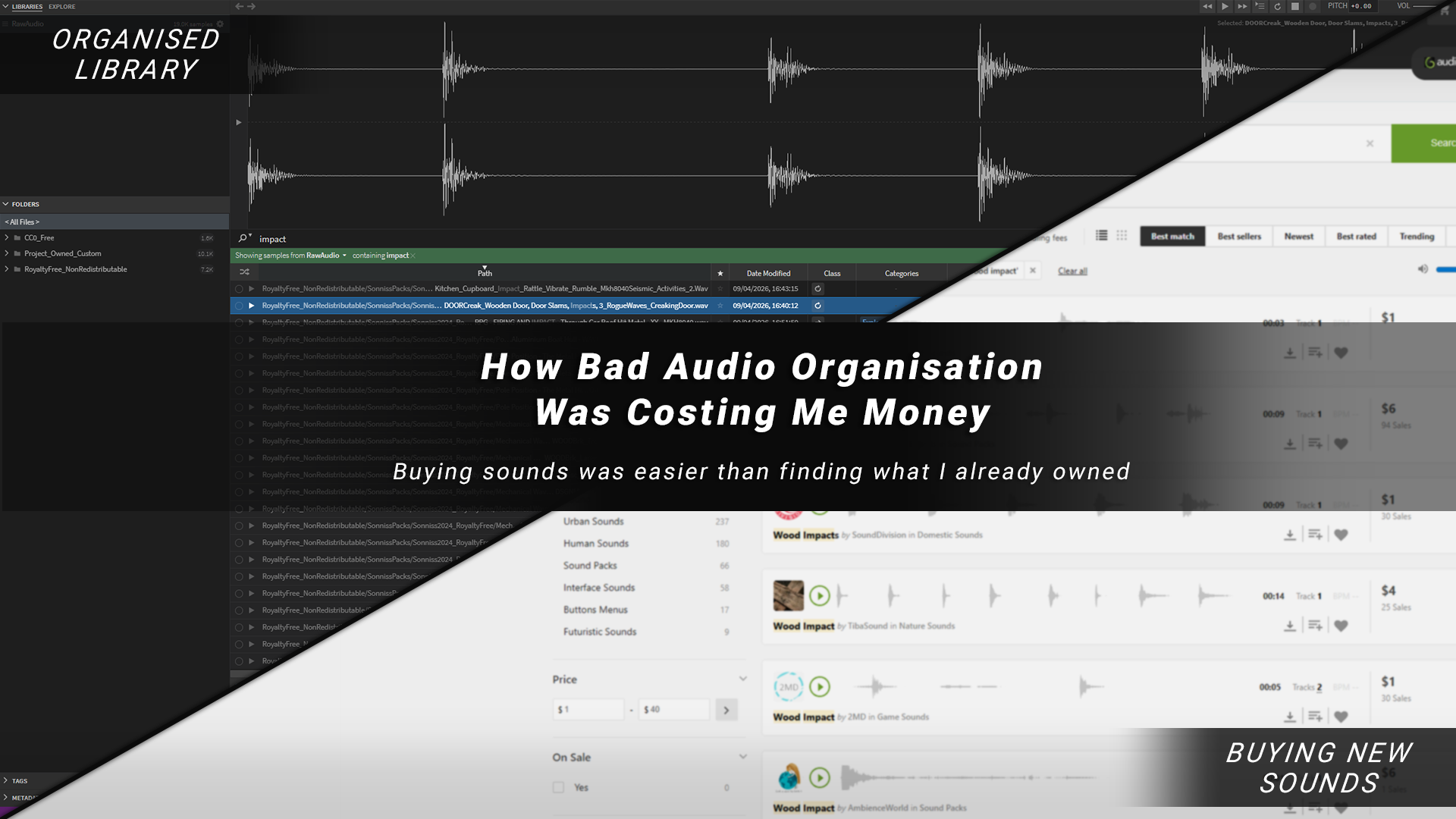
I was wasting money on audio because buying sounds was easier than searching through what I already had
I fixed it by building a simple system: better source audio + licence-based organisation + fast search
Using Sononym made my entire library searchable and easy to preview
Result: faster workflow, less time digging through folders, and fewer unnecessary purchases
The Hidden Cost Of Audio
I recently released my game Freerunners, and while looking back over its development costs, one thing stood out to me: I’d spent a surprising amount of money on audio. Music can for sure get expensive, but a lot of this was sound effects.
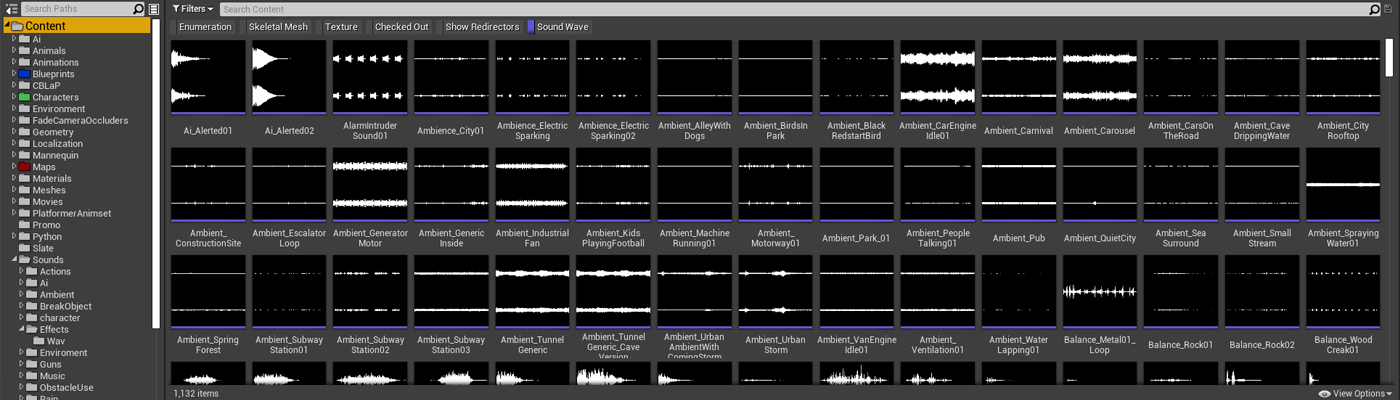
I checked a few of my older projects… same story.
I do enjoy recording and creating sound effects, but a lot of the time, I’d just buy a single sound or a pack that was close to what I needed because it was faster. Individually, these don’t seem like big purchases; £2 for a sound, £10 for a pack. However, over a project that lasts multiple years, it can all really start to add up.
Buying Was Faster Than Being Organised
Part of why I kept buying sounds from online libraries and marketplaces was simple: they make it easy. You can search by theme, quickly preview, and get something close to what you need in seconds.

On my end though, it was chaos.
All the audio I’d bought over the years just got dumped into random folders on my PC and slowly disappeared into the black hole of my hard drive. I’d forget what I already had, and I’m pretty sure I’ve bought the same, or very similar, sounds more than once because of it.
I was making things harder for myself. I wasn't necessarily lacking sounds, I just couldn’t find them.
The Problem I Needed To Solve
I’ve worked on audio across a bunch of projects; Solo and small-mid-sized teams, but I am not an audio guy. I’m an Unreal generalist, and I had never given myself the time to build out a proper audio pipeline until now.
As I dug deeper into my audio workflow, I started to see patterns that I could improve. In the book Atomic Habits, the author talks about making positive habits you want to encourage simpler and easier to do, to make you more likely to do them. So with this in mind, I decided this was the problem that I needed to solve:
How can I build a library of high-quality audio that’s organised, easy to browse, and quick to search, so I don’t need to keep buying new sounds?
The goal was simple: spend less time and money hunting for sounds, giving me more time to concentrate on manipulating the sounds into what I needed.
This broke down into three key parts:
High-quality source audio
Better organisation
An easy way to preview and search sounds
Step 1: Start With Better Source Audio
My audio friend once told me that he uses both personal recordings and audio packs / sound libraries, but what really matters to him is the final quality.

Recording everything from scratch takes time, and it’s easy to miss the quality bar when someone else may have already done it to a much higher level. Either way, most sounds end up being manipulated and designed into something unrecognisable, so your time is often better spent working with good source material than creating everything from scratch.
High-quality source audio just makes everything easier, and there’s a huge amount of high-quality, free-to-use audio out there, so that’s where I started when building out my new system.
Here are a few places I used for my initial library pass:
A massive collection of royalty-free sounds (hundreds of gigabytes). Takes a while to download and unzip, but it’s a great foundation.

Free Packs From Professional Audio Sellers
Professional audio sellers like AsoundEffect and Boom library often have free packs or give away free example packs in their newsletters.

Great small packs. Free to download, or you can support Kenny, as I did, by buying the collection of all his asset packs here.

I hadn’t realised before, but there’s a lot of free game audio on itch. It can take a bit of digging, and you need to check licences carefully.

Your Own Custom Sounds
Don’t forget anything you’ve already recorded or created yourself in past projects over the years.

Step 2: Organising My Audio (Licences + Structure)
Considering Licencing
One thing worth keeping in mind is: Audio Licences. Different packs have different rules, so it’s important to understand what you can and can’t do with the specific audio, especially if you’re using it in a commercial game.
Here are some common licence types you might come across:
Royalty-Free - Usually pay once and use in your project (within licence limits)
Commercial Use - Allowed in paid/released games
Attribution Required (CC-BY) - Must credit the creator
Non-Commercial - Not allowed in paid games
Public Domain / CC0 - Free to use, no restrictions
Exclusive vs Non-Exclusive - Only you vs shared usage
Redistribution Restricted - Can’t resell/share raw files (common in asset packs)
A simple way I think about it is:
Can I use this in a commercial game?
Do I need to credit anyone?
Can I redistribute it?
Is this exclusive, or can others use it too?
Designing A Folder Structure
Not the most exciting thing in the world, but super important for the longevity of an organised system.
Before, I had no real folder structure; everything just lived in random places. This time I wanted to be more intentional from the ground up.
Keeping licences in mind, I asked GPT about a structure that would work long term, and ended up settling on something pretty simple: organise everything based on how it can be used.
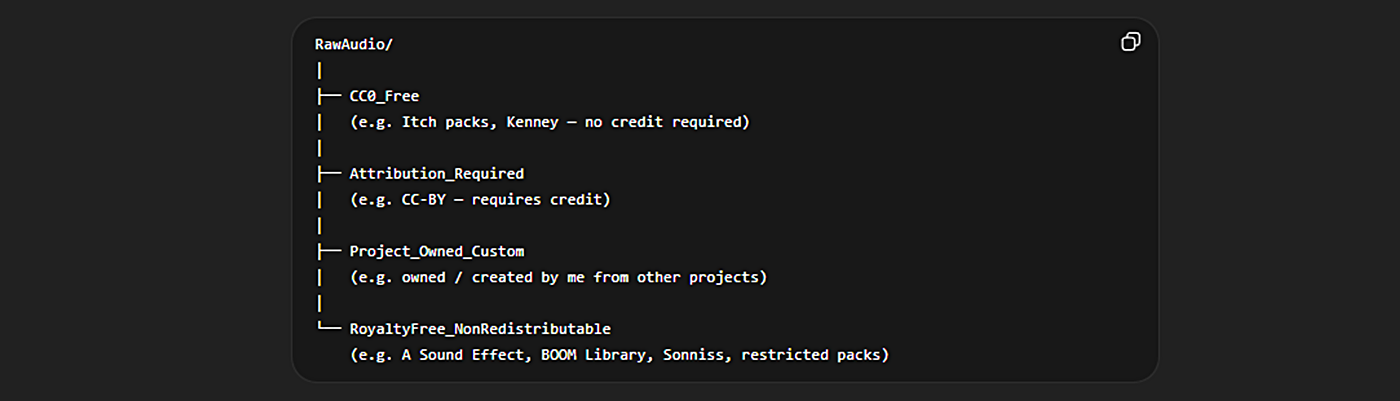
The main idea is just to keep licensing at the heart of the organisation. Grouping audio by licence type, so I always know what I can and can’t do with it.
I also keep a copy of the licence alongside the audio as a text file (most bigger packs include this anyway), so I don’t have to guess later.
I might need to extend this folder structure as I get new audio packs with different licences, so it might still become chaotic over time, but for now, it’s working and doing the job.
Step 3: The Missing Piece - Browsing & Previewing Audio
Now I had good quality audio and a solid structure, but I still had a key piece of the puzzle missing: a fast way to actually find what I needed.
I knew software like Adobe Bridge existed to solve the problem of previewing large amounts of images quickly. So I used that as my starting point, with the aim of finding something similar, but for audio. Below, you can see what Adobe Bridge looks like, to get an idea of what I was after:
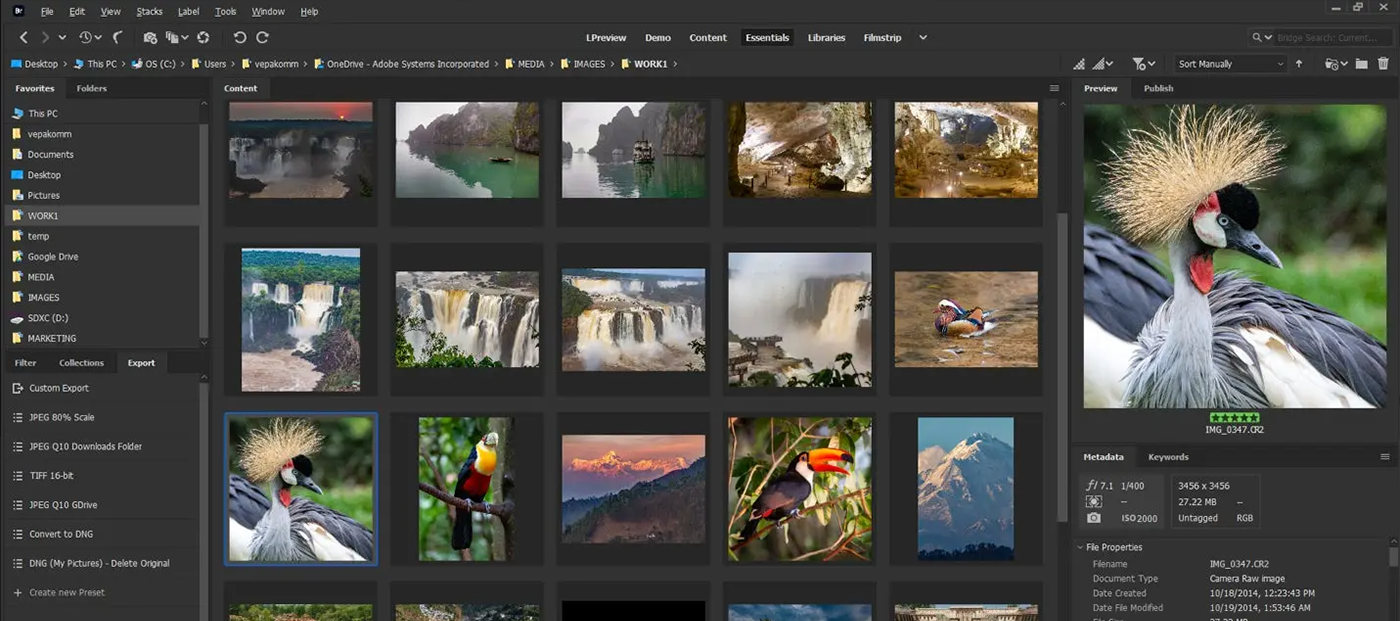
I needed a way to keep all my audio in one place and quickly search and preview it, without digging through folders.
I used GPT to explore a few options, then watched some YouTube overview videos to get a feel for what was out there.

Why I Chose Sononym
After looking over a few of the popular choices for sound library management tools, I settled on Sononym.
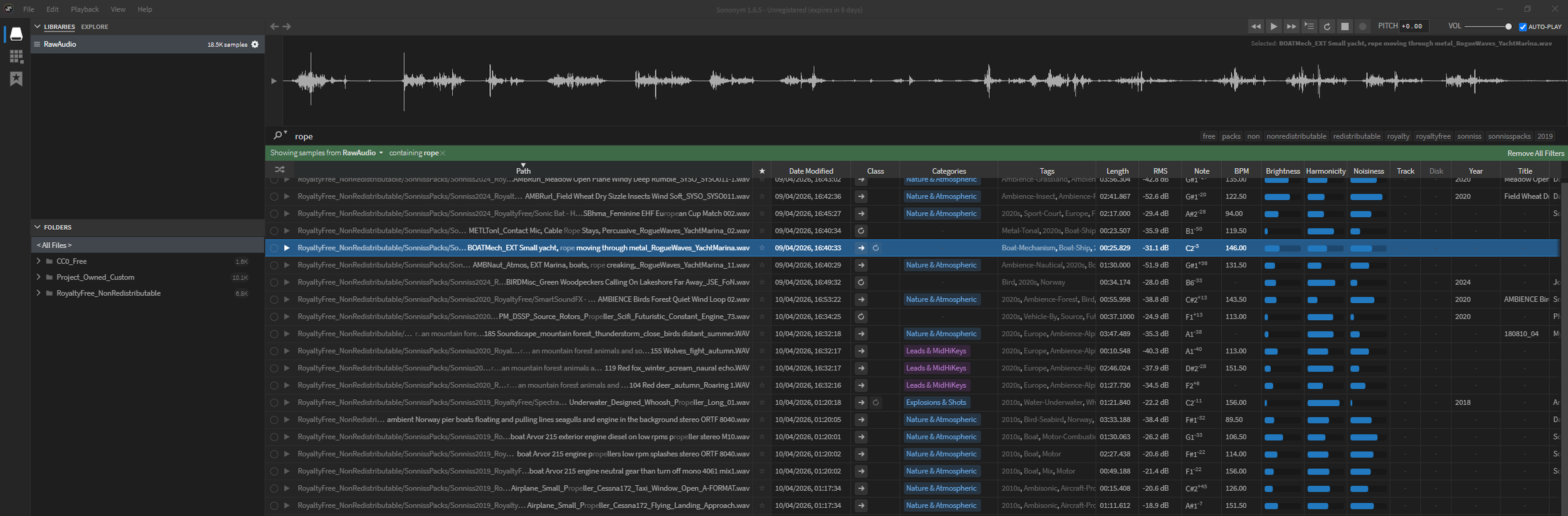
There were a lot of tools out there, but Sononym stood out because:
Has solid search functionality - tagging, audio analysis, similarity matching, etc.
Free trial and a cheap one-off payment - no subscription plan
Works offline
Here is a quick overview video, showing off what Sononym can do:
Getting Set Up
The setup was straightforward. The first time you open it, you point it to your audio folders, and it will run a scan analysing them, automatically mapping the audio and adding tags and categories.
The initial scan took a few hours for me (I had a lot of files), and I definitely noticed my PC slowing down while it was running. If you’re doing a big library, it’s probably best to leave it running overnight, rather than trying to perform the scan while working, as I did.
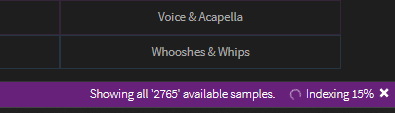
Once it finished, I had a fully searchable library of all my audio in one place.
Instead of digging through folders, I could now just search and preview over 18,500 sounds instantly.
Problem Solved: The End Result
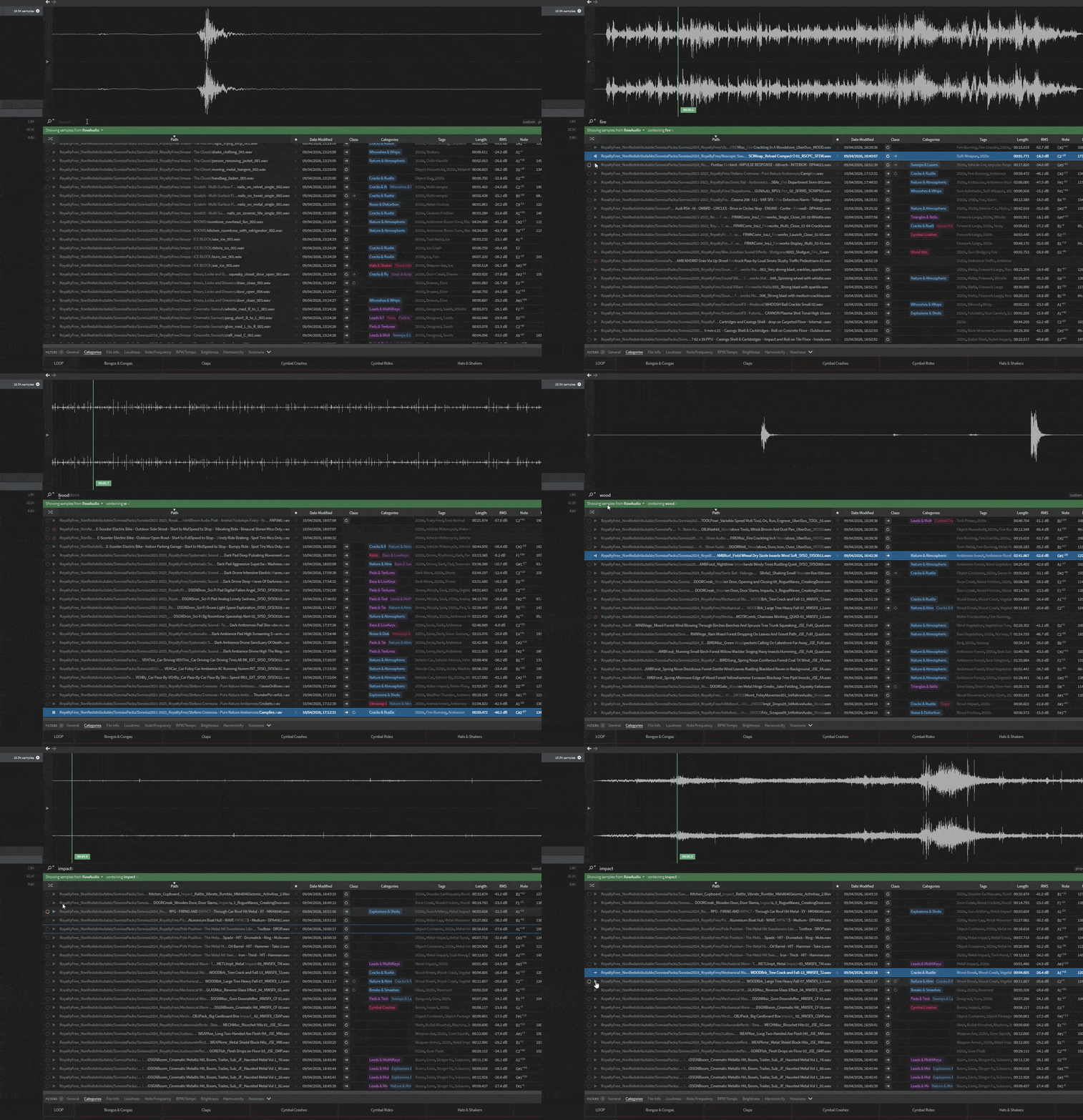
With my new setup, I can do things like:
Search for “Fire”
Instantly get a list of relevant sounds
Quickly preview them to find what I need
Below is a quick example of how fast it is to search and find sounds now:
My Current Pipeline
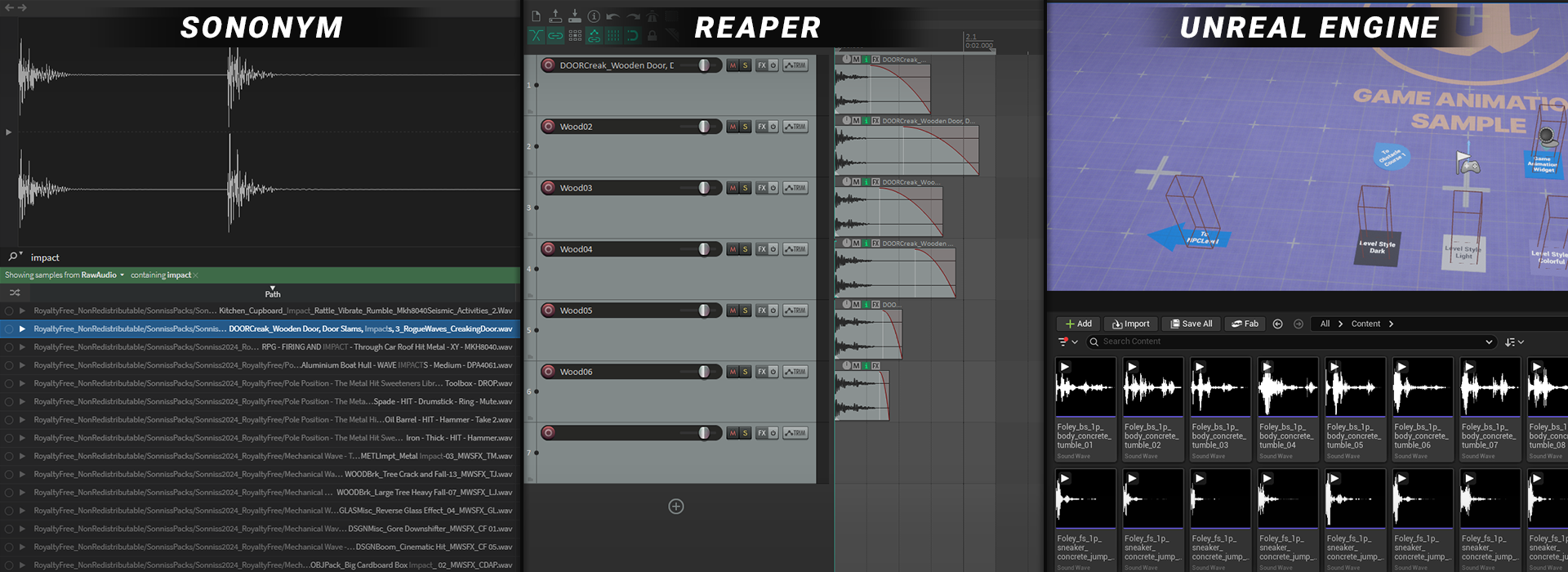
This is what I’ve landed on:
Search in Sononym
Quickly preview and shortlist sounds
Drag straight into Reaper
Tweak as needed
Export and import into Unreal Engine
No digging through folders, no guessing, just search, preview and get to work. Mixing Sononym with the ability to drag straight into Reaper is a pretty deadly combo.
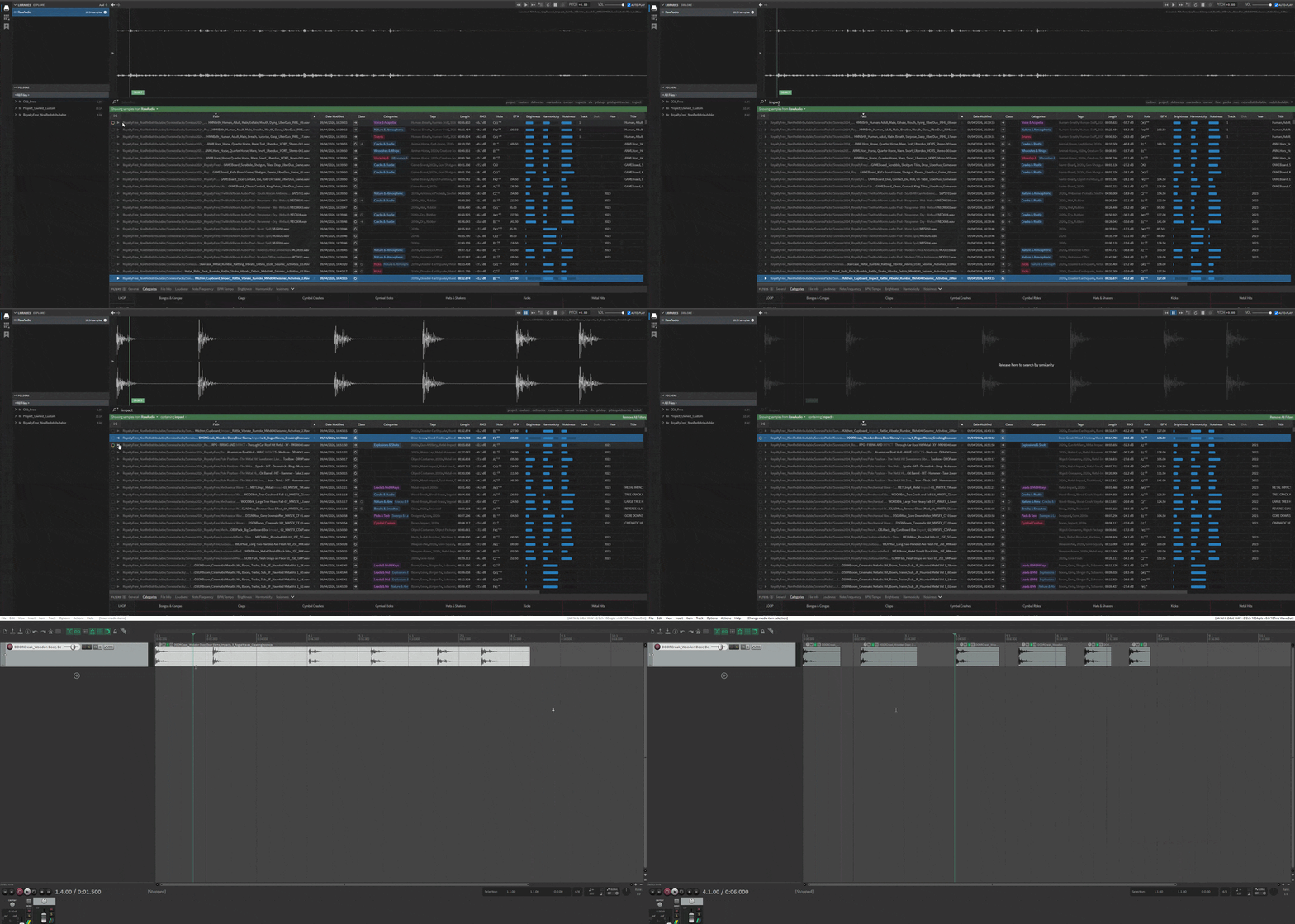
And if I can’t find a suitable sound for what I need in my new setup, then I use this pipeline to add new sounds to my current system:
Find and buy a sound pack
Download it and place it into the appropriate folder (based on licence)
Run an analysis scan in Sononym, so it gets indexed
What I Want To Improve Next
Things are working well at the moment, but there’s still plenty I could improve upon. Here are a few next steps I’m planning:
Move The Library To A Dedicated Hard Drive
The audio library is already taking up a lot of space on my PC, so moving it onto a solid, sturdy, reliable external hard drive is an obvious next step. It’ll free up space and also make it easier to move everything over when I upgrade my PC in the future. One thing I’ll need to figure out is how Sononym stores its analysed data, and make sure that it lives on the drive as well and that I don't lose any custom tags I have added.

Custom Tagging
Sononym already automatically adds tags, but it also lets you add your own. This is something I will do as I work with the library; it will help refine searching even more over time. For example, in the button click UI sound in the screenshot below, I manually added the ‘Analog’ tag to my button click.

Build The Library Over Time
This one’s pretty simple. The more audio I add, the more useful the system becomes. A friend of mine regularly picks up sound packs during sales to build up his library over time, which feels like a solid approach. Signing up for newsletters from audio sellers is a good way to catch those deals.

Wrapping Things Up
I’m really happy with how this all turned out. It’s one of those things I knew, for a long time, I should find a proper solution for, but never wanted to commit the time to. Spending a bit of time up front has already saved me a bunch of time (and probably money).
If you’ve got a growing audio library, I’d definitely recommend setting something like this up. It doesn’t have to be perfect, but having any system is better than none.
I’ll still buy sounds from time to time, but now they actually have a place and a purpose.
Good luck with your audio!