
QUICK DEV TIP #111 UE5 - Bulk Rename Assets
Today’s Quick Dev Tip is something I only just discovered, but it was so useful that I knew I had to make a video about it sharpish!
Did you know you can quickly bulk rename assets in the engine, no plugins, no external tools needed?
If you would prefer to watch my video version, check it out here
In Unreal Engine 5.5, they added the ability to batch rename assets directly inside the editor. It’s super simple to use. Here’s how:
First, select the assets you want to rename.
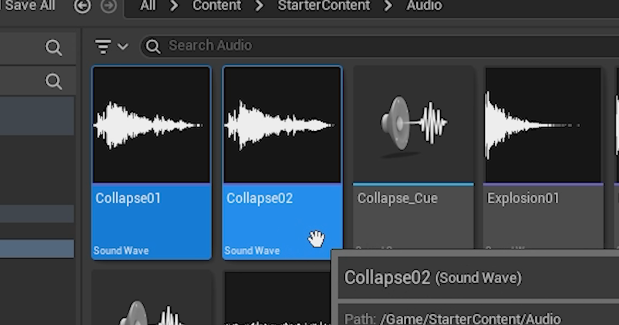
Then Right-Click and select the Batch Rename option.You can also use the shortcut Shift + F2.
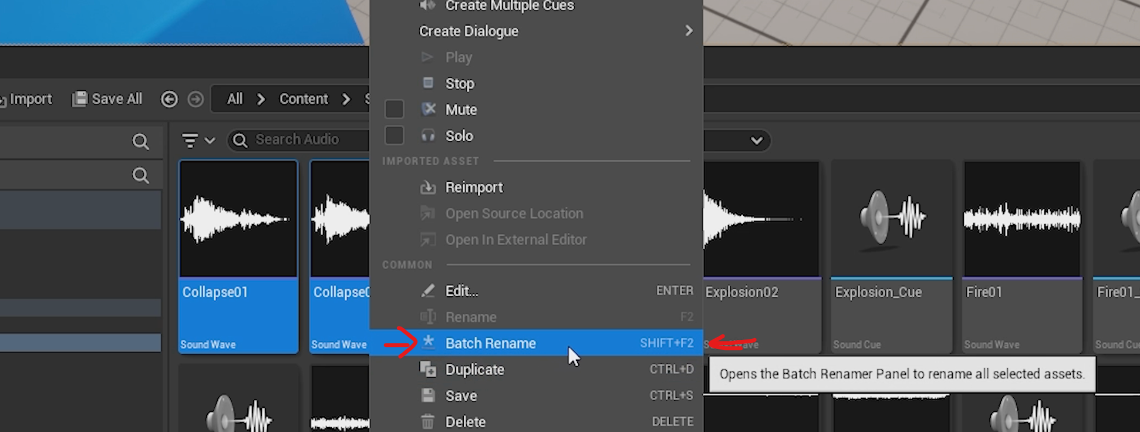
This will bring up a pop-up where all the magic happens. If you've ever used any kind of renaming tool before, a lot of this will feel very familiar.
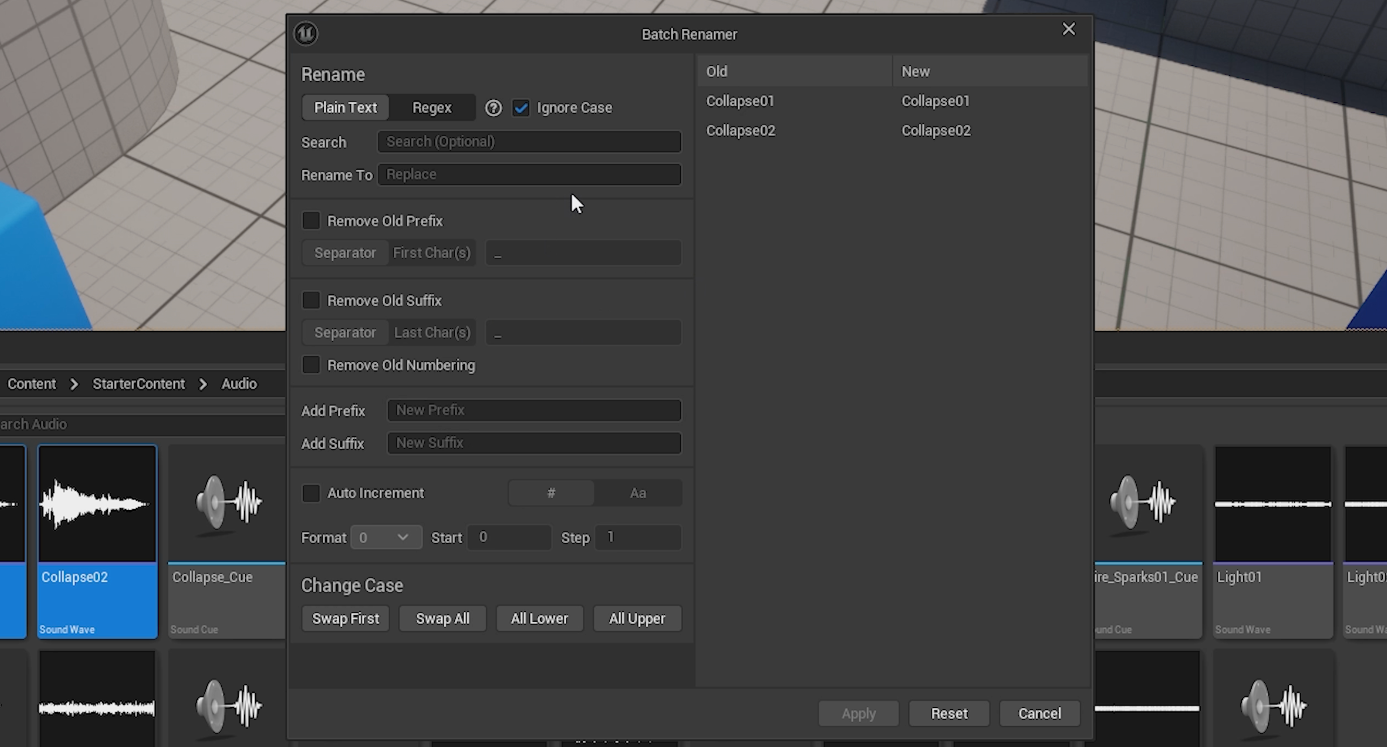
On the right-hand side, you’ll see a preview showing the before and after. The current names and the updated names you’re about to apply.
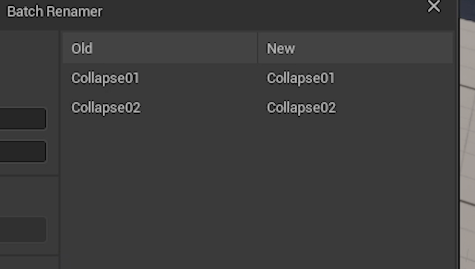
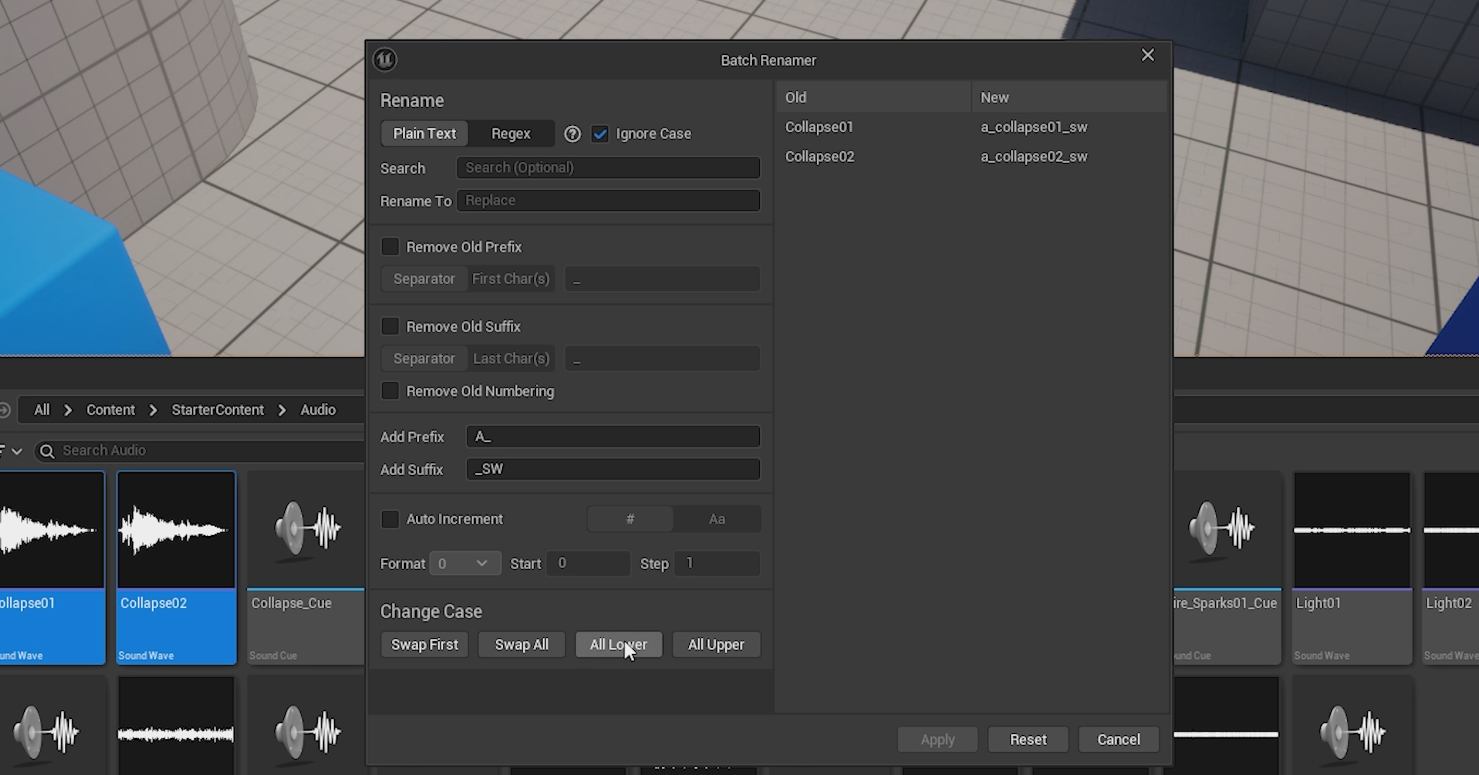
There are a bunch of useful options available to you. In the image below, you can see me using the tool to:
• add a prefix (A_)
• add a suffix (_SW)
• change the case (to All Lower).
You can preview all of these changes on the right-hand side of the window, and nothing is actually applied until you hit that Apply button.
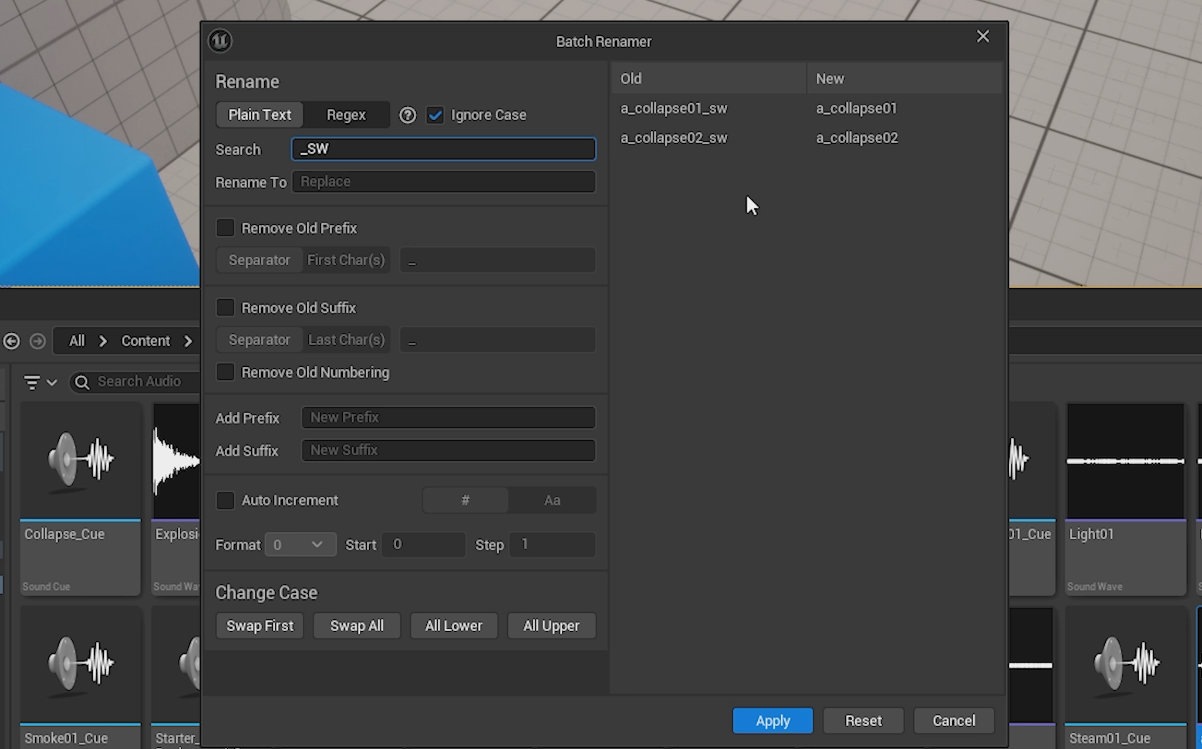
Below is another example where I use Search & Replace to remove the suffix at the end. Here, I search for _SW, and because I leave the Replace field empty, the tool removes those characters entirely.
I came across this the other day while trying to rename over a hundred footstep sounds, and it saved me so much time while helping me get consistent naming instantly. I hope you found this useful, and I’m sure it’ll save you a bunch of time in your own projects!
Want to know when I release new quick Unreal tips & tricks?
Enjoyed this? Check out my other work: