
Survive Another Night Postmortem
Survive Another Night Postmortem
I’m James, an indie game dev (@cbGameDev). I work on larger scale projects with my friends, in a company that we built from the ground up and I make more compact games on my own in my spare time. I took part in the December 2020 Epic MegaJam and I wanted to write up a postmortem as I thought it could be interesting to others and useful for myself to reflect on the experience.
SURVIVE ANOTHER NIGHT
The game I made for the Epic MegaJam 2020 is Free to play on my itch.io here!


I’d wanted to do a game jam this year but hadn't made time for one yet, so when I saw the Epic jam was coming up I thought I’d get involved. It was a 7-day jam and the theme ended up being: “It’s been a long time, but we’re not done yet.”
THE GAMES CONCEPT
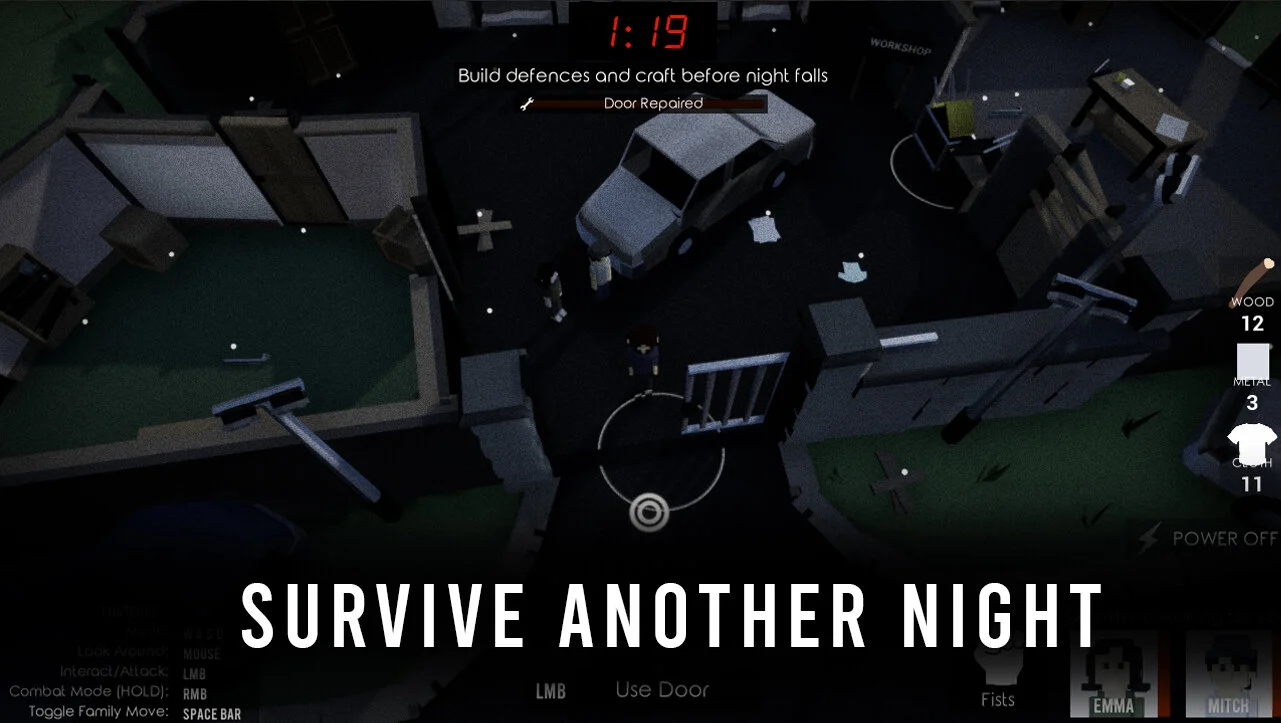
I’m a big fan of zombie stuff so I decided to make a game about a zombie apocalypse. You play a character trying to protect their family for one last night before help arrives. The initial design was inspired by a mix of Original COD zombies and Overcooked style gameplay and the film The Road. I wanted it to be a top-down game with two main stages: prepare and fight. I also wanted to make it multiplayer (more on that later) and thought adding procedural elements could add replayability. Before I started any actual deving I wrote down the core of my idea into a single sentence which I wanted to guide the development direction over the jam.

I’LL MAKE IT MULTIPLAYER…
As this was a slightly longer jam I thought I should have a go at making the game multiplayer. Not any multiplayer mind you, cross PC non LAN multiplayer... that was a mistake.
I burnt a bunch of time following networking tutorials and trying to get stuff working only to realise that it wasn't going to work/be practical. It made me laugh when I realised that I’d spent the first day and a half making a game that wasn't actually a game. I hadn't made any gameplay mechanics. Instead, over that time I’d managed to get multiple players joining into a lobby then joining into a match but the further I was getting the more problems it was looking like I was going to have with ports and tunnelling. In the end, I decided a game jam probably wasn’t the right time to try and work all this out so I decided to cut scope and keep it a single-player game instead.
In hindsight, if I had spent that beginning period making the actual game, I probably would have found more free time to add polish/juice and even to try a simple local multiplayer (Spawning a second local player who could control using a gamepad) instead of the more elaborate one I tried for.
PLANNING & TRACKING
For planning, I used good old pen and paper, Google Sheets and Trello. They each served a different purpose. I didn’t use any version control, I just made sure to back things up every day.
Pen and Paper: Mainly used for quickly capturing ideas, sketching designs etc. I really like to have an analogue way to plan.
Google Sheets: Always super useful, I used it for a few different things. Firstly making an overarching plan for how I wanted the week to go on a day to day basis. Secondly for any more permanent notes (aka non-development tasks) that I wanted to keep e.g. jam deadline, premade assets I’d used etc. Lastly to roughly track my progress, by writing quick, short-hand notes about how each day went. This was predominantly for writing this postmortem and looking back at how the jam went as a whole.

Trello: For task organisation I normally use HackNplan but I thought it would be interesting to try Trello for a change. As I was making the game by myself I wrote very loose and shorthand task titles. My board started off nice and clean and got progressively more messy toward the end as I kept adding more lists. I’m 50/50 on Trello. It did the job (although the website went down for me on Monday) but I’m not a super fan of its layout. I think it’s probably okay for short projects but in the future I think I’ll stick with HackNplan or try something new again.

HOW THE GAME PROGRESSED
Saturday was my only full free day as we were busy in the office. I split making my game into two chunks per day: before work and after work. Interestingly this gave me time to passively think about my games progress while at work. I tried to cook builds off often, cooking one at the end of each session of work (e.g. in the morning/in the evening). To make enough time to make my game I ended up getting up early, going to bed late and drinking a bit too much coffee.
Kick-off Friday:
I didn’t do anything on kick-off Friday. I knew the jam had started but I needed to finish off some work and thought I would take a first look at the theme Saturday morning when I was feeling fresh.
Saturday:

I sat down Saturday morning with some coffee, looked up the theme and started scribbling ideas down until I got to my zombie idea. I started a project from the Top Down Template, made a Trello board and started following a tutorial series for setting up a multiplayer framework. By the end of the day, I had a main menu leading to a lobby which then led into a map. I’d made good progress and learnt a lot but it had taken me the whole day and I technically spent the day not actually making the game.
Sunday:
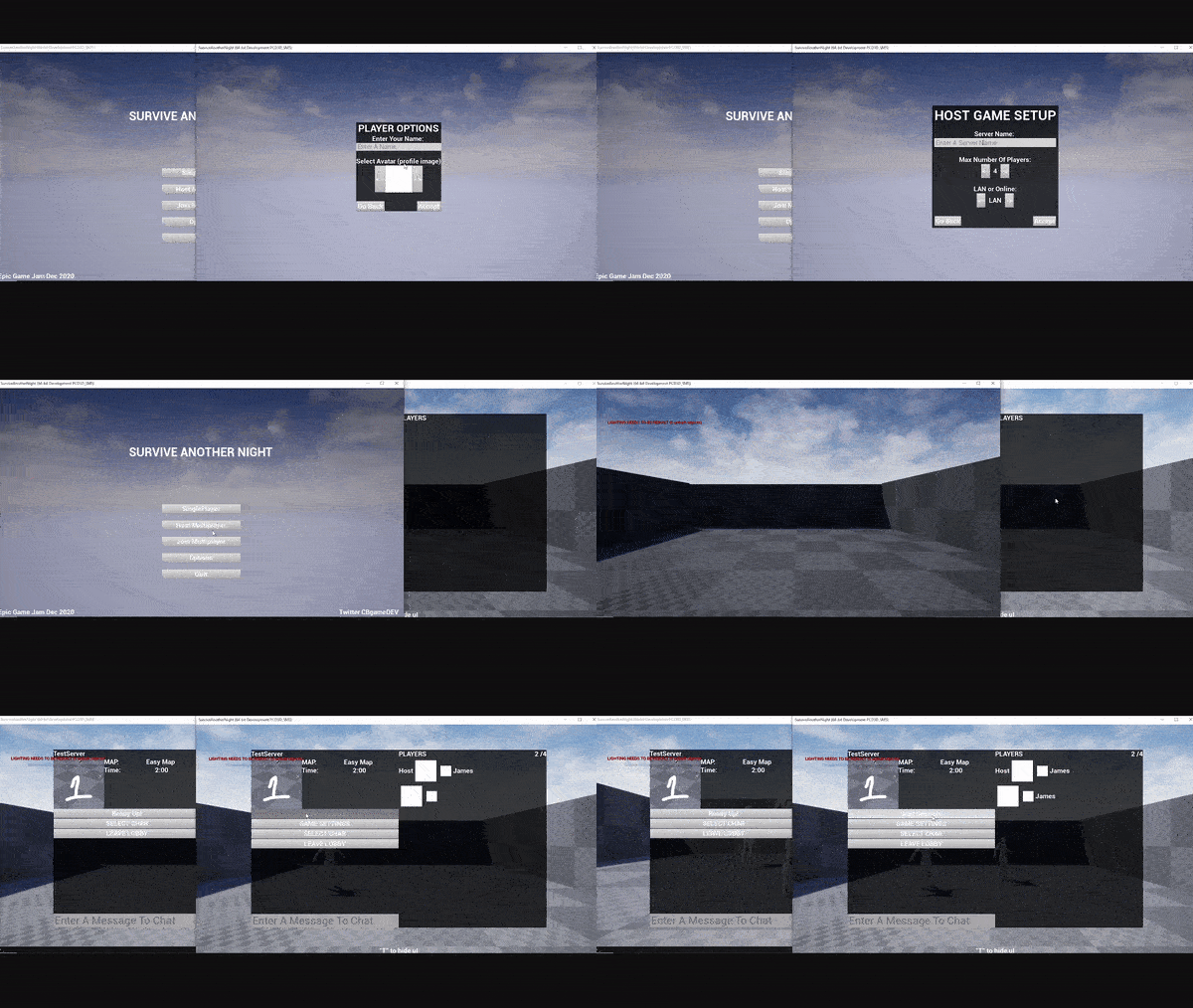
Morning: I finished off the multiplayer tutorials I was following then had a think and realised that it was all getting a bit out of hand. Here is when I decided to cut scope and just focus on making a single-player game instead.
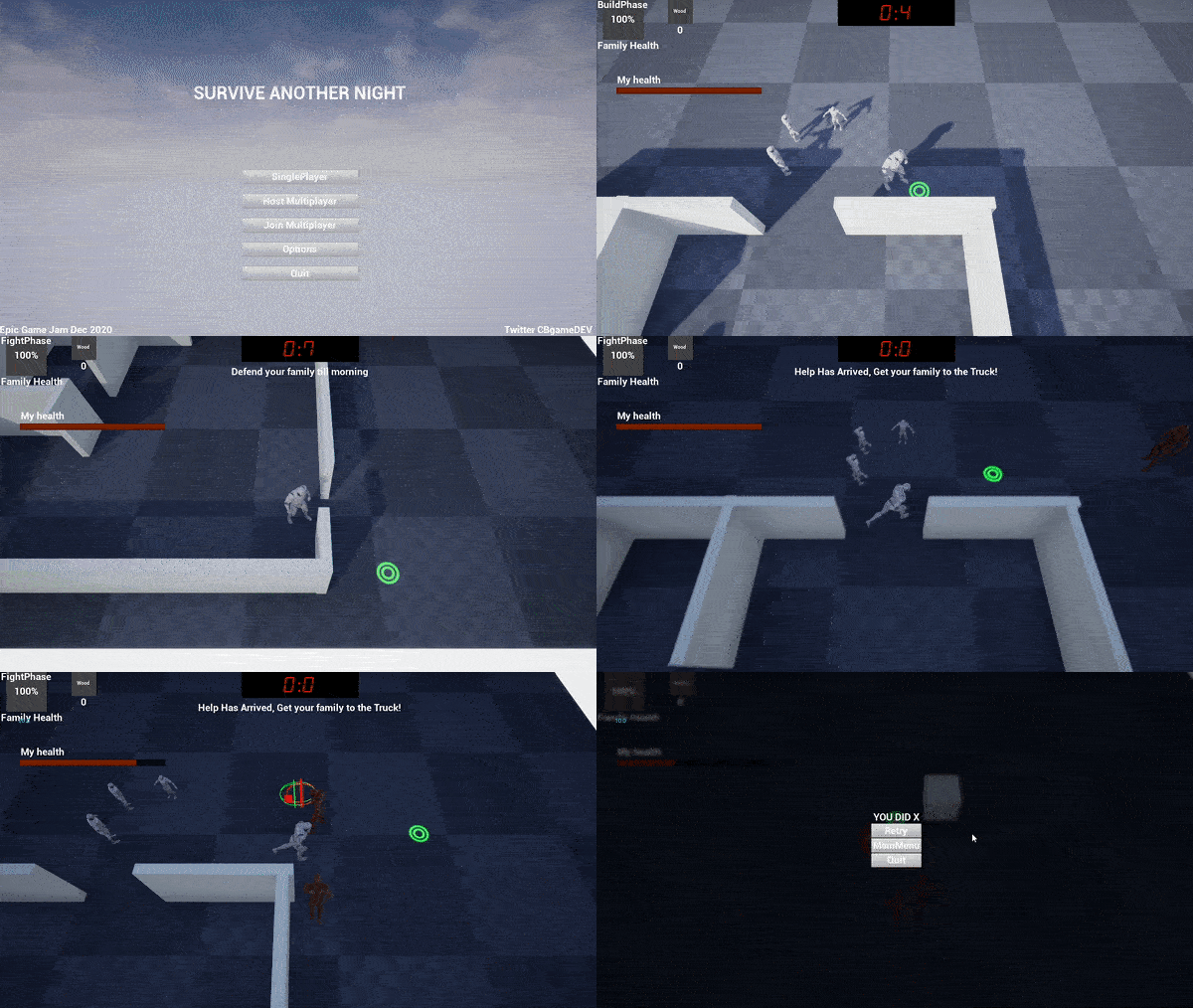
Evening: I went to work for a bit and when I came home I started work on the single-player version. I fleshed out the basic game loop (pre-mode, build mode, fight mode and win/lose states) and got creating a bunch of the base mechanics: family spawning, AI spawning, Ai movement, AI attacking, HUD menus, escape actor, simple barricade you build/interact with and player movement. I felt like I made so much progress in a short period of time.
Monday:
My original Monday plan had been to get all the mechanics fleshed out. I didn't manage to achieve it but I did make a bunch of progress. However, even though I had my game loop in it wasn't feeling like a game yet, more like a bunch of random game mechanics.

Morning: Before work, I got lootables and pickups working, made a resource system and started adding more UI to the HUD.
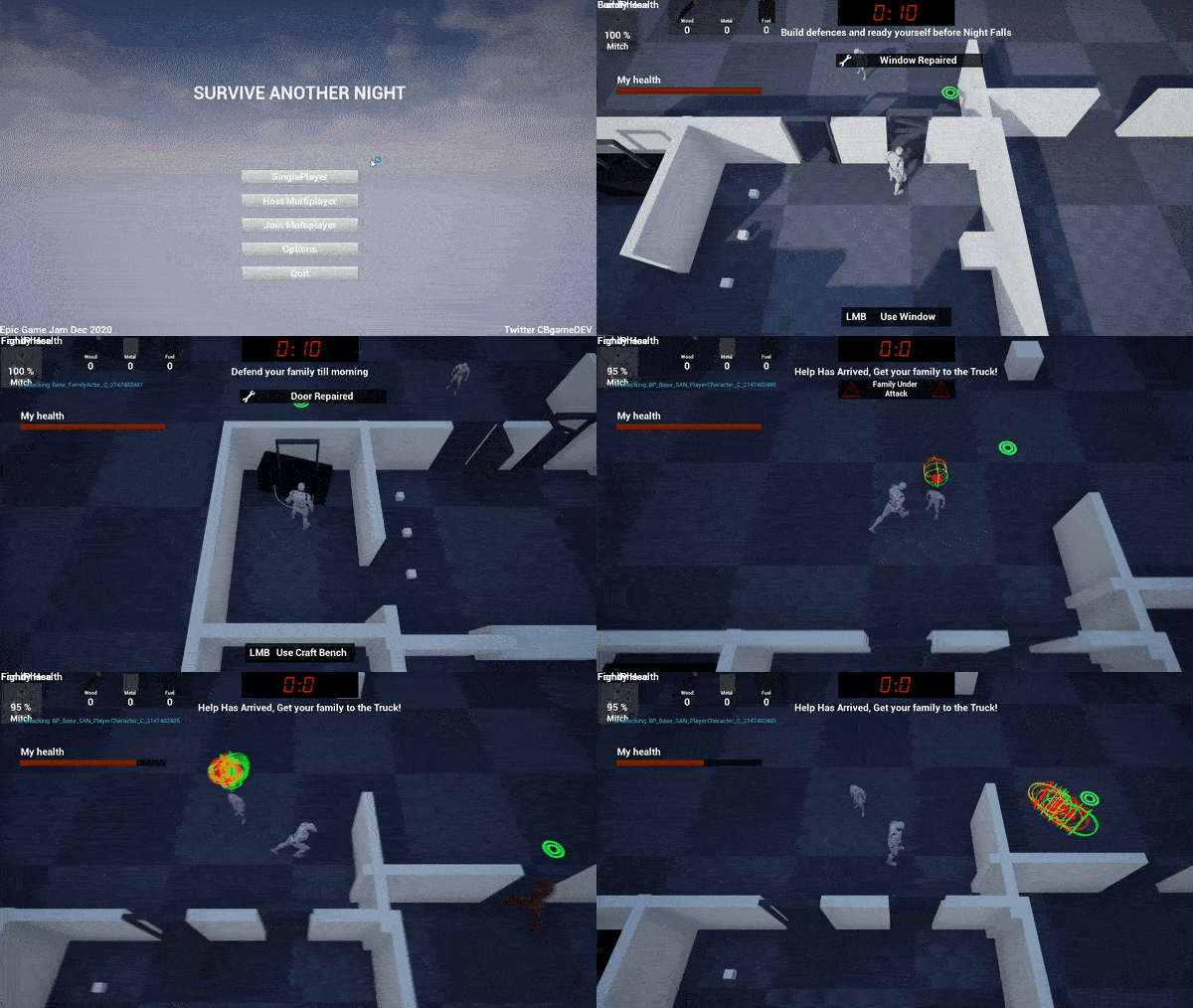
Evening: After work, I spent more time working on the barricades adding a new window type. I also worked more on the UI, made it so the player could attack the AI, made it the AI attack doors and family members and also got the family members taking damage. You can see the Ai shoot off when they die, which still makes me laugh when I see it now!
Tuesday:
Originally I had planned to get most of the art done today; environment art, making the characters, rigging them, animating them as well as adding simple post effects. However, things didn't go to plan.

Morning: I struggled in the morning and felt like I wasn't making much progress. I think I was tired from the previous days and work. I tried to get a pipeline for voxel art but it was taking too long (see the art section) so I switched to level design instead. Then I started having a bunch of problems getting the level to feel good (see the game design section). In the end, I made a small amount of art progress and had a messy level design to come back to later.

Evening: After work I felt more energized and decided to leave the art for now, instead focusing on the level design and mechanics. I worked on getting the family to follow you and stop when you tell them to. Turning a generator on “turned the power on”, activating lights in the level. I added billboard dots on interactable objects to make it easier to see what you could interact with. I also worked on zombie waves so they now spawned in rounds, increasing in numbers as well as spawning from a larger range of spawners as time passed. The last thing I did for the day was adding a new character mesh and a few animations for the player. By the end of the day things started to feel like they were coming together a bit, a big change from how I had felt in the morning.
Wednesday:
At this point, I had greatly deviated from my original overarching plan. Because I was behind instead of working on Ai, level design bugs and juice, I decided to try and finish off the remaining gameplay mechanics.
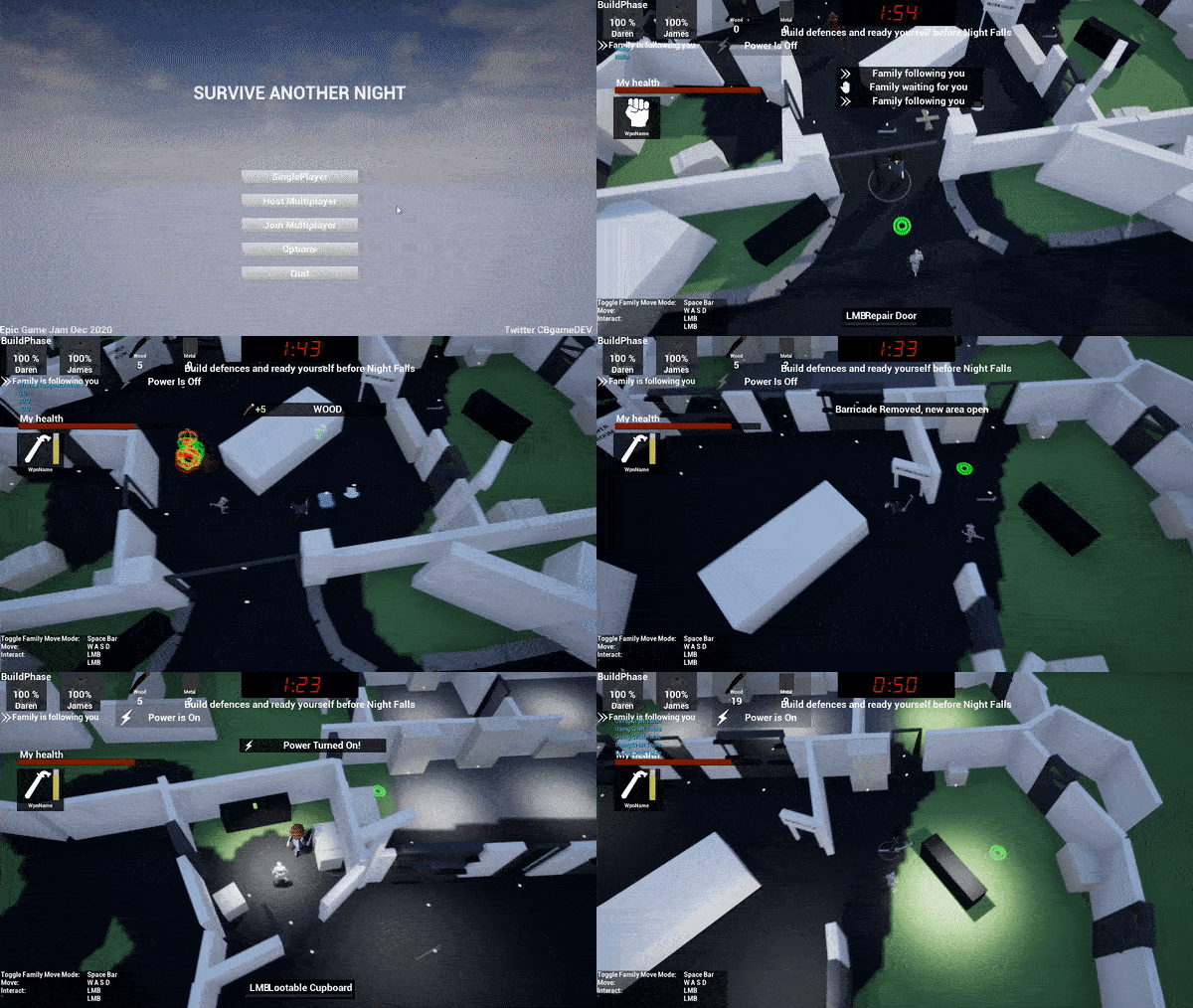
Morning: I got melee weapons and weapon pickups working, made a new type of ai that was already in the world, who stands still until you get close then attacks. I also made the crafting table require power before you could use it. I felt like I didn't get as much done as I wanted to before I headed off to work.

Evening: After work I got character meshes and animations in for the Ai and the family members, which I felt like it helped a lot in making it feel like a game. I also worked on UI and made progress on the crafting system, making it so you could craft armour for yourself and your family.
Thursday:
Originally Thursday was supposed to be a day just for adding juice, balancing and bug fixing but I still hadn’t made enough progress on the mechanics and I was very behind on the art side, as in I hadn't done any of the level art. So I had to again cut scope (see the scope section), removing the main menu, as well as reducing the size of the play area of the level.

Morning: I did a HUD intro with instructions on how to play, added damage states for windows and doors and then cooked off a build to show a couple of friends to get some feedback. Even though a lot of stuff was broken/not finished (a bug could stop the AI from doing damage), it was very useful to see someone else play. Apart from the obvious stuff, it was clear to see that the game lacked a lot of feedback.

Evening: When I got home I started by finishing and fixing things that had stood out as being buggy and problems that stopped the core gameplay loop. Including making things actually cost resources to repair/craft. I looked at what I had left to do and decided to cut scope again. I spent the rest of the evening tightening up the game flow, trying to remove jank and working on transitions between gameplay sections, trying to smooth out the experience. I was in two minds about this because it wasn't actually making the gameplay any better but in hindsight I think it was the right choice. Although I still had a lot to fix and finish, it felt like it was starting to pull the game together and it had some fun to it.
Deadline Friday:
I had a lot to do so I woke up early (with a bit too little sleep). As this was the last day and I decided to spend the day working on my game and then head into the office after the jam had ended (luckily, I have the advantage of setting my own work hours).
I scope cut the gun mechanic as I hadn’t even begun on it yet. Instead, replacing it in the crafting table with a spiked baseball bat melee weapon. I added a bunch of juice to everything you could interact with as well as when fighting. I finished off the level design and made up a quick vehicle escape sequence. I played through the game a bunch of times and tried to do some quick balancing. I picked some music, a calm one for the pre-mode and a faster-paced one for the fight stage. I then spent pretty much the rest of my time up until the end of the jam working on the games art. The game really came together in the last few hours.

I had a mini heart attack about two hours from the deadline when I tried to cook the game off and it failed with a random error with little info as to what was causing it. I hadn't done any cooking that day, I thought because I was doing mostly art it shouldn't really cause any problems...I was wrong.
I definitely started to feel the pressure when I ended up juggling setting up my itch.io project, writing my description/making screenshots/videos and trying to work out what was causing the error. Randomly after a few more cooks and tweaking stuff to try and work out what was wrong, the error started popping up in the editor. I’m so glad this happened as I was able to fix it straight away. The problem was the engine didn't like me trying to call a function from my pickup parent class on a newly spawned child pickup actor. To fix it I had to cast back to the parent pickup class first to call the function, which doesn't make any sense to me but it fixed the problem, so I decided to leave the plaster on.

After fixing the cook error I carefully did a few more builds, playing through and fixing major bugs and adding a few quick polish wins until it started getting real close to the deadline and I thought I should upload and submit before I break something. I was cutting it a little close but I got it in 38 min from the deadline!

ART

Art is not my strong point (I’m colourblind), so adding that to making a game by myself was a tough combo and probably why I put off the art till the end. I tried a few things to make development easier and save time. Firstly, making the game top down meant that I could get away with adding less detail to my models and use a voxel/low poly style. I used dynamic lighting instead of baked so I wouldn't have to cook my lightmaps as well as allowing me to do a dynamic day/night transition. For texturing, I used an overlap texture to colour node in my master material, which basically overlays a solid colour and a texture. I like to do this as you can add a slight bit of underlying detail to a material. I find that the single colour overlay is useful for me being colourblind as well because I can generally just colour pick a single colour from a real-world material. I tried to keep most of my colours quite desaturated to match The Road style mood of the game.

I had wanted to do a voxel art style using MagicaVoxel. On Tuesday I did an initial test making some paving slab corners for the road. I thought it had potential to look cool but I realised it was going to be too time-consuming per asset. So although I really wanted to do it I decided to ditch it, cut scope and go for a more simple poly style. I’d already made the assets so I decided to still use them in the game. The top image is the paving slab tests in MagicaVoxel, the bottom is them in use in Unreal.
I stayed in the art blockout stages until very late in the project, in fact it was one of the last things I did. I blasted through making a bunch of simple poly assets and getting them in the level. However, as you can see from the middle image below, it didn’t look right yet. It wasn’t until I tweaked the lighting and added some post effects that it really came together. For the post process I desaturated the colours, added a grain effect and increased the ambient occlusion. At that point I decided to stop on art as I was running out of time. In fact if you look closely in the final build I submitted you can see that I missed deleting a few white blockout walls because I was pressed for time.

DESIGN
The game's core loop never changed from my initial plan but I went through a bunch of additional design changes elsewhere. Below are a few of the more interesting ones:
Level Design:

Originally I wanted to make an open area petrol station level with a central building to defend and a series of smaller buildings dotted around outside. The idea was you would need to go to these outer buildings to get supplies, activate the generator and use the crafting bench. Straight away I found a design problem as I needed to have a reason to have an edge wall to keep the player contained which didn’t gel well with a petrol station theme, so I scrapped that concept.

My next idea was to have an industrial compound with high walls around it with much the same idea, building in the centre with extra buildings around. However, I then ran into a problem where having large open spaces mixed with a top-down camera didn’t feel right. I think this is because of the restricted view. If you can't see the next interesting thing to go towards then it makes it harder to decide where you should go. I felt like players might never find out that there was a generator that you could use to turn the power on etc.

I decided to reduce the distance between the buildings and after doing this I noticed a new problem. With the top-down camera, it felt more natural to go upwards, which was counter to my current level design which progressed downwards. This is possibly because of the slight off camera angle. So I played around with rotating the player camera until I got what you can see in the Gif to the right. It felt so much more natural to work your way upwards.

The map still felt too big so I iterated on it and kept reducing it until it felt better. I focused on trying to make tighter more dense areas. I think this helped a lot in the overall game design as it meant that the player could see objects of importance quicker (e.g. generator and crafting table) as well as helping to funnel the zombie ai, making it easier to get surrounded.
Ai Zombie In Build Stage

Originally I wanted to have the day time completely clear of zombies and only have them spawn during the night fight stage. However while doing some testing where I needed a punching bag zombie, I realised it felt good to have a single zombie as soon as you got into the compound. I ended up keeping it in and I think it benefited the overall game design. It gave new players a taste of what’s to come, allowing them to learn how to fight a single zombie in a less pressure intense situation as well as letting them know why they are repairing and preparing.
Naming Your Family

This is something I wanted to incorporate from the start. I really like naming my crew/team in games like FTL, Organ Trail (zombie one), Rimworld etc after my friends, family and myself. I thought if you could name them after people you know, it could really help to add attachment and roleplay where you actually want to protect them. I made sure to add a random button for anyone who didn’t really care for that sort of stuff.
End/Fail State
I always wanted it so that if you died it was game over but I was split for a long time over whether if your family members died it would cause a fail game over. In the end, I thought it would be more impactful and encourage replayability if even if the family died you could finish. This caused there to be three endings: all survive, both family die, one family die.

SOUND EFFECTS

I had a lot of fun making the sound effects. I wanted to make all the sounds myself (minus the music), however, towards the end of the project I was running out of time and had to get a few extra sounds off AudioJungle to get things finished.
I found the app I normally use on my phone to record sounds was broken. So I had to come up with a new pipeline, which ended up working better than my original. I had a quick look around for a new sound recording app and found “Voice Record Pro” for iPhone (which is free). It was nice and simple to use, I was able to record directly into .wav format and could quickly email it to myself.
In terms of audio editing, I stuck the long audio file into Audacity to cut it up into individual sound clips. Initially, I was cutting the sounds and adding a fade in/out to the clips but as I got closer to the deadline I stopped adding fades to save time. Instead, just very roughly cutting them and exporting them for import into the engine. I ended up making around 80 ish sounds for the jam. In the Sound Cues in Unreal I used the modulator node as well as adjusting the overall pitch and volume to try and squeeze out even more variety from the sounds. Below is an example of my female zombie sound cue:

SCOPE CUTTING!
It wouldn't be a game jam if you didn't have to cut scope and I had to constantly throughout the project! I think it was the right thing to do as it made a tighter game and most importantly, I managed to finish. Here are some of the major ones:
Cut Multiplayer: I bit off more than I could chew trying to get over the internet multiplayer to work. It would have been great to get in but I'm sure the game would have suffered greatly if I had even been able to finish it. In hindsight, a better use of my time would have been to make the game as a whole first and then try to add in a second player locally if I had time. But I have no regrets as I’m happy with how the game turned out and I did learn a chunk of interesting networking stuff as well, which I'm sure will be helpful in future projects.
Cut Voxel Art Style: I really didn't want to cut this. If I had been in a team I would have pushed to keep it, but doing things alone meant making up assets would eat away at the time that I needed to create the rest of the game. I think I made the right choice by going extra simple poly meshes instead, but I would definitely like to experiment with a voxel art style in the future.
Cut Map Design/Levels: I quickly cut the procedural element of the level design to buy time to focus on implementing the games core mechanics. Instead, I replaced it with the idea of three separate levels of different difficulty: easy, middle and hard. Not long after I cut the scope again to one level with three difficulty modes. Then the next day I cut scope further down to just one level with one difficulty as time was running out. I’m glad I made these cuts, although I would have liked to have got a minimal amount of procedural ness in. For example, I think it would have been quite easy to randomise the spawn location of pickups based on a series of predefined spawn locations.
Goodbye Main Menu: I really didn't want to cut this because I really liked the idea of doing a kind of Call of Duty Modern Warfare main menu. I wanted to have the player's character and the family members walking on the spot while the environment moved around them (like how an infinite runner works). But as cool as it was in my head it didn't add anything to the gameplay so it had to go. Instead, I loaded the player directly into the gameplay level.
Cut Guns: One of the last major cuts that I made was removing guns. Originally the best weapon in the game was going to be a handgun (which takes a lot of resources to craft). However, by the last day of the jam I still hadn’t worked on the shooting mechanic so I decided to cut it. Instead replacing it with a craftable spiked baseball bat. I think this was a blessing in disguise because looking back I really like the fact you have to get up close and personal with the zombies, it adds to the grittiness of it all. Allowing the player to create distance between themself and the zombies through bullets could have detracted from this feeling.
Extra Juice: I only cut this because I completely ran out of time, otherwise I would have carried on adding camera shakes, sounds, VFX, UI, animations etc to the game. VFX was the main juice that suffered. If you look closely you will see the only VFX is a mesh-based particle that I use for blood when the player gets hit. The frustrating thing is that this would have been very easy to add to a bunch of other situations (looting, door and window damage etc) by simply duplicating, changing the colour and spawn amounts, I just didn't have the time left.
TAKEAWAYS
Here are my biggest takeaways from this game jam:
Try not to overscope and if you find you have, try to cut scope quickly. I think I could have added more juice to my game if I had cut multiplayer sooner.
Cook-off builds of your game more often! I was pretty good about it but I slipped up on the last day when it mattered most.
Get people to play your game. It’s very useful to see how others interact with the game. Maybe something you thought was obvious makes no sense, maybe there is a glaring bug that you missed because of the way you play the game.
Prepare your supporting submission materials as early as possible. E.g. itch.io project page, description, screenshots/videos, premade assets list etc. This is so if like me, you end up having last-minute build issues, you can be less stressed and concentrate on fixing things instead of having to multitask.
Try mini devlogs during the jam. After the jam I noticed other devs had been doing daily development posts on their itch page. This is cool and I don't think it would have taken much more effort to do as I had already been roughly tracking my daily progress.
Using the post process to desaturate the colours worked out well for me being colourblind. I get a bunch of colours mixed up, so desaturating worked well for me as I was able to concentrate more on value ranges instead of worrying if a specific colour was wrong.
Have a bunch of easy, ready to eat food for the deadline day. I got so swept up in the jam on the last day that I kept putting off eating because cooking would take up the time I had left. So next jam I’m going to make sure I have a bunch of snacks and easy to cook food ready!
CONCLUSION
I’m super glad I entered the jam. Although it was real intense I learnt a lot, had a lot of fun and came out with a cool game. After the jam is fully over, I’m going to go back to the project to tidy up a few bugs that slipped in and add a bit of the polish that I didn’t have time for!
If you want to see more about the games I make and get general tips on using Unreal you can follow me on Twitter here.
I hope you enjoyed reading about my experience, good luck on your own jams.
BLOG POSTS
-
2026
10
- 29 Jun 2026 Project Optimise Tool - Now UE5.8 Compatible
- 29 Jun 2026 Level Optimise Tool - Now UE5.8 Compatible
- 3 May 2026 How Bad Audio Organisation Was Costing Me Money (And How I Fixed It)
- 15 Apr 2026 My Tools Are 30% Off This Week!
- 4 Apr 2026 The Reality of Solo Game Development - Freerunners Postmortem
- 10 Mar 2026 Freerunners Flow Update
- 4 Mar 2026 Freerunners is Out Now on Steam!
- 10 Feb 2026 QUICK DEV TIP #113 UE5 - Multiple Viewports
- 5 Feb 2026 Zombie Typing is Part of Steam Typing Fest!
- 20 Jan 2026 QUICK DEV TIP #112 UE5 - Copy Paste Functions
-
2025
22
- 30 Dec 2025 QUICK DEV TIP #111 UE5 - Bulk Rename Assets
- 7 Dec 2025 QUICK DEV TIP #110 UE5 - Thicken Trigger Volumes
- 16 Nov 2025 Level Optimise Tool - UE5.7 Compatible Version
- 15 Nov 2025 Project Optimise Tool - UE5.7 Compatible Version
- 5 Nov 2025 Quick Dev Insights #10 - Designing Dynamic Game Music Systems - with Pav Gekko
- 1 Nov 2025 Updated My Website Look!
- 26 Oct 2025 New Branding!
- 15 Oct 2025 Quick Dev Insights has a new home!
- 13 Oct 2025 Zombie Typing is Live in Steam Next Fest!
- 9 Oct 2025 Quick Dev Insights #09 - Technical Animation In Games - With Liam Lambert
- 4 Oct 2025 Zombie Typing - Demo Released To Steam
- 13 Sept 2025 Zombie Typing - Full Game Announcement!
- 10 Sept 2025 Quick Dev Insights #08 - Designing Sounds For Games - with Ben Ridge
- 13 Aug 2025 LEVEL OPTIMSE TOOL - UE5.6 Compatible Version Released!
- 9 Aug 2025 Project Optimise Tool - Updated to V3.2!
- 7 Aug 2025 QUICK DEV TIP #109 UE5 - Filtering Output Logs
- 23 Jul 2025 QUICK DEV TIP #108 UE5 - Bulk Fill Array
- 23 Jul 2025 QUICK DEV TIP #107 UE5 - Orbit Camera Mode
- 21 Jul 2025 Devumentary: ZOMBIE TYPING
- 15 Jul 2025 Zombie Typing Game Demo Launched!
- 25 Apr 2025 Optimising Your Unreal Engine 5 Project
- 29 Mar 2025 Level Optimise Tool - Released Onto FAB Marketplace
-
2024
20
- 24 Nov 2024 Project Optimise Tool Released Onto FAB Unreal Marketplace!
- 12 Oct 2024 I Released Project Optimise V3.1
- 17 Sept 2024 QUICK DEV TIP #106 UE4 / UE5 - Toggle Debug Camera
- 7 Sept 2024 Quick Dev Insights #07 - Developing For The Playdate - Ollie Coe
- 3 Sept 2024 QUICK DEV TIP #105 UE4 / UE5 - Debugging UI With The Widget Reflector
- 3 Sept 2024 QUICK DEV TIP #104 UE4 / UE5 - Quick Select Input Key
- 2 Sept 2024 QUICK DEV TIP #103 UE4 / UE5 - Auto Navigate to Blueprint Error
- 28 Aug 2024 Indie Dev Story is now available on Steam for FREE!
- 20 Aug 2024 Quick Dev Insights #06 - Starting and running your own outsourcing studio - Rob Moody
- 4 Aug 2024 QUICK DEV TIP #102 UE4 / UE5 - List Modified Variables
- 4 Aug 2024 QUICK DEV TIP #101 UE5 - Quick Copy Paste Variables
- 31 Jul 2024 Indie Dev Story Patch Notes for V1.3
- 22 Apr 2024 Testing out Tech: Adobe Express - Animations from Audio
- 20 Apr 2024 Made a new Game: Ultra Ball!
- 5 Mar 2024 FREERUNNERS PROGRESS - More ways to Fail
- 27 Feb 2024 Freerunners Progress - A better flow
- 21 Feb 2024 Freerunners Marketing, Lets get started!
- 17 Feb 2024 FREERUNNERS Steam Next Fest Postmortem
- 7 Feb 2024 FREERUNNERS IS IN STEAM NEXT FEST FEB 2024!
- 25 Jan 2024 FREERUNNERS DEMO UPDATE! (JANUARY 2024)
-
2023
18
- 31 Dec 2023 Marauders Community Memes, Art and Cosplay! Dec 2023 Edition
- 27 Nov 2023 Freerunners Demo Updates! (November 2023)
- 7 Oct 2023 Project Optimise Tool (Unreal Engine) : How To Use
- 7 Oct 2023 Project Optimise Tool Is Now Downloadable From My itch.io Page
- 8 Sept 2023 Freerunners Demo Out Now!
- 4 Sept 2023 All Things Marauders (March - August 2023)
- 8 Aug 2023 10 Tips For Faster Blueprint Using
- 5 Aug 2023 Updated my Free Unreal Engine Tool: Project Optimise
- 10 Jun 2023 Meetup at the Team17 office!
- 28 Apr 2023 New Unreal Engine Tool: Project Optimise!
- 14 Apr 2023 21 UE4/UE5 Tips To Help You Build Out Levels Faster
- 31 Mar 2023 I did a talk at GDC!
- 4 Mar 2023 4 Material Editor Tips for Unreal Engine
- 25 Feb 2023 6 Tips for Faster Blueprinting!
- 13 Feb 2023 5 Useful Unreal Engine Blueprint Tips/Tricks
- 9 Feb 2023 3 Quick Unreal Engine Sound Tips/Tricks
- 20 Jan 2023 Compare Data tables Tool for Unreal Engine
- 3 Jan 2023 I Tried Rokoko Video - Free Ai Motion Capture
-
2022
55
- 29 Dec 2022 3 Quick Unreal Engine Animation Tips/Tricks
- 21 Dec 2022 Marauders: The Red Baron Update
- 6 Dec 2022 50 Quick Tips and Tricks for Unreal Engine. How many do you know?
- 5 Dec 2022 F1 Marauders Art
- 21 Nov 2022 QUICK DEV TIP #100 UE4 / UE5 - Snap To Surface
- 15 Nov 2022 Quick Dev Insights #02 - Level Designer - Alfie Bawden
- 12 Nov 2022 QUICK DEV TIP #99 UE4 / UE5 - Editor Asset Open Location
- 11 Nov 2022 Launching Marauders into EA
- 11 Nov 2022 Marauders Memes#1
- 7 Nov 2022 QUICK DEV TIP #98 UE4 / UE5 - Custom Asset Shadow
- 29 Oct 2022 QUICK DEV TIP #97 UE4 / UE5 - Screenshots
- 24 Oct 2022 QUICK DEV TIP #96 UE4 / UE5 - Copy Paste UMG Anims
- 16 Oct 2022 QUICK DEV TIP #95 UE4 / UE5 - Favourite Blueprint Nodes
- 12 Oct 2022 Rust bucket 3D Print
- 12 Oct 2022 QUICK DEV TIP #94 UE4 / UE5 - MATERIAL EDITOR KEYBOARD SHORTCUTS
- 27 Sept 2022 QUICK DEV TIP #93 UE4 / UE5 - Blueprint Keyboard Shortcuts
- 19 Sept 2022 QUICK DEV TIP #92 UE4 / UE5 - GAMEPLAY VIEW
- 10 Sept 2022 Marauders Progress
- 3 Sept 2022 QUICK DEV TIP #91 UE4 / UE5 - COMMENTING
- 22 Aug 2022 QUICK DEV TIP #90 UE4 / UE5 - GROUPING
- 15 Aug 2022 QUICK DEV TIP #89 UE4 / UE5 - LOCK IN PLACE
- 5 Aug 2022 QUICK DEV TIP #88 UE4 / UE5 - REORDER ARRAY
- 19 Jul 2022 QUICK DEV TIP #87 UE4 / UE5 - HIDE UI BINDINGS
- 12 Jul 2022 QUICK DEV TIP #86 UE4 / UE5 - CONSOLE COMMAND INFO
- 3 Jul 2022 QUICK DEV TIP #85 UE4 / UE5 - QUICK CHANGE VIEWPORT ANGLE
- 27 Jun 2022 QUICK DEV TIP #84 UE4 / UE5 - DELETE NODE, KEEP CONNECTION
- 19 Jun 2022 QUICK DEV TIP #83 UE4 / UE5 - MOVE WITH ASSET
- 12 Jun 2022 QUICK DEV TIP #82 UE4 / UE5 - EDITOR START UP LEVEL
- 6 Jun 2022 QUICK DEV TIP #81 UE4 / UE5 - VIEW FROM ASSET POINT OF VIEW
- 29 May 2022 QUICK DEV TIP #80 UE4 / UE5 - EXTRA INFO ABOUT NODES
- 29 May 2022 Quick Dev Insights #05 - Indie Games Publisher - Jeff Giasson
- 23 May 2022 QUICK DEV TIP #79 UE4 / UE5 - CONTENT BROWSER FILTERS
- 16 May 2022 QUICK DEV TIP #78 UE4 / UE5 - ADJUST GIZMO SIZE
- 10 May 2022 QUICK DEV TIP #77 UE4 / UE5 - FULL SCREEN VIEWPORT
- 3 May 2022 QUICK DEV TIP #76 UE4 / UE5 - SPEED TREE COLOUR VARIATION NODE
- 28 Apr 2022 Quick Dev Insights #04 - Building A Community - Dan Walters
- 26 Apr 2022 QUICK DEV TIP #74 UE4 / UE5 - OPTIMISING TICK RATE
- 25 Apr 2022 QUICK DEV TIP #75 UE4 / UE5 - MAP THUMBNAIL ICONS
- 12 Apr 2022 QUICK DEV TIP #73 UE4 / UE5 - GPU VISUALISER
- 9 Apr 2022 Quick Dev Insights #03 - Creating UI For Games - Ben Humphreys
- 5 Apr 2022 QUICK DEV TIP #72 UE4 / UE5 - TEMP CHANGE PIVOT
- 28 Mar 2022 QUICK DEV TIP #71 UE4 / UE5 - COPY PASTE LODs
- 24 Mar 2022 Marauders Has Been Announced!
- 22 Mar 2022 QUICK DEV TIP #70 UE4 / UE5 - OUTLINER FILTERING
- 15 Mar 2022 QUICK DEV TIP #69 UE4 / UE5 - CONSOLE COMMAND SEARCHING
- 7 Mar 2022 QUICK DEV TIP #68 UE4 / UE5 - HIGHLIGHTING CONNECTIONS
- 1 Mar 2022 QUICK DEV TIP #67 UE4 / UE5 - SAVE HARD DRIVE SPACE
- 21 Feb 2022 QUICK DEV TIP #66 UE4 / UE5 - NAME MATERIAL PINS
- 15 Feb 2022 QUICK DEV TIP #65 UE4 / UE5 - EDIT AUTOSAVE SETTINGS
- 6 Feb 2022 QUICK DEV TIP #64 UE4 / UE5 - HIDE ALL SCREEN MESSAGES
- 31 Jan 2022 QUICK DEV TIP #63 UE4 / UE5 - MEASURING DISTANCES
- 25 Jan 2022 QUICK DEV TIP #62 UE4 / UE5 - MATHS IN VARIABLES
- 17 Jan 2022 QUICK DEV TIP #61 UE4 / UE5 - STORE BLUEPRINT GRAPH POSITIONS
- 11 Jan 2022 QUICK DEV TIP #60 UE4 / UE5 - MIRROR ASSETS
- 3 Jan 2022 QUICK DEV TIP #59 UE4 / UE5 - SMALLER INTERFACE ICONS
-
2021
55
- 27 Dec 2021 QUICK DEV TIP #58 UE4 / UE5 - QUICK ADJUST CAMERA SPEED
- 20 Dec 2021 QUICK DEV TIP #57 UE4 / UE5 - BREAKPOINT ON BLUEPRINT ERROR
- 13 Dec 2021 QUICK DEV TIP #56 UE4 / UE5 - UMG REPLACE & WRAP WITH
- 6 Dec 2021 QUICK DEV TIP #55 UE4 / UE5 - MOVE VARIABLE TO PARENT
- 29 Nov 2021 QUICK DEV TIP #54 UE4 / UE5 - SELECT ALL OF THE SAME
- 22 Nov 2021 QUICK DEV TIP #53 UE4 / UE5 - LIGHT MAP STATISTICS
- 16 Nov 2021 QUICK DEV TIP #52 UE4 / UE5 - EVENT TO FUNCTION / FUNCTION TO EVENT
- 8 Nov 2021 QUICK DEV TIP #51 UE4 / UE5 - DISABLE BLUEPRINT NODE
- 1 Nov 2021 QUICK DEV TIP #50 UE4 / UE5 - EDITOR CALL EVENTS AT RUNTIME
- 25 Oct 2021 QUICK DEV TIP #49 UE4 / UE5 - SAVE LOAD LAYOUTS
- 18 Oct 2021 QUICK DEV TIP #48 UE4 / UE5 - QUICK MAKE ICONS
- 18 Oct 2021 My steam page got approved for my game Freerunners!
- 11 Oct 2021 QUICK DEV TIP #47 UE4 / UE5 - QUICK OPEN LEVEL ASSET
- 4 Oct 2021 QUICK DEV TIP #46 UE4 / UE5 - THUMBNAIL EDIT MODE
- 27 Sept 2021 QUICK DEV TIP #45 UE4 / UE5 - COMBINING MULTIPLE STATIC MESHES
- 20 Sept 2021 QUICK DEV TIP #44 UE4 / UE5 - RELATIVE AND WORLD TRANSFORMS
- 13 Sept 2021 QUICK DEV TIP #43 UE4 / UE5 - QUICK NAVIGATE TO BLUEPRINT PARENT
- 6 Sept 2021 QUICK DEV TIP #42 UE4 / UE5 - Automatically Reimport Files
- 30 Aug 2021 QUICK DEV TIP #41 UE4 / UE5 - Have Multiple Anim Sequences Open
- 24 Aug 2021 QUICK DEV TIP #40 UE4 / UE5 - Diffing Blueprints
- 16 Aug 2021 QUICK DEV TIP #39 UE4 / UE5 - Quick Tweak Textures
- 9 Aug 2021 QUICK DEV TIP #38 UE4 / UE5 - Animation Pose Into Static Mesh
- 2 Aug 2021 We Won An Award!
- 2 Aug 2021 QUICK DEV TIP #37 UE4 / UE5 - Colourblind Editor Mode
- 26 Jul 2021 QUICK DEV TIP #36 UE4 / UE5 - Saving Colours
- 19 Jul 2021 QUICK DEV TIP #35 UE4 / UE5 - Quick Switch Tabs
- 12 Jul 2021 QUICK DEV TIP #34 UE4 / UE5 - Find Across Whole Project
- 5 Jul 2021 QUICK DEV TIP #33 UE4 / UE5 - UMG Favourites
- 28 Jun 2021 QUICK DEV TIP #32 UE4 - Custom Grid Snap Amounts
- 21 Jun 2021 QUICK DEV TIP #31 UE4 - Favourite Folders
- 13 Jun 2021 QUICK DEV TIP #30 UE4 - Content Browser Icon Size
- 7 Jun 2021 QUICK DEV TIP #29 UE4 - Quick Make Pins
- 31 May 2021 QUICK DEV TIP #28 UE4 - Drop Asset To Surface
- 24 May 2021 QUICK DEV TIP #27 UE4 - Multiple Content Browsers
- 17 May 2021 QUICK DEV TIP #26 UE4 - Change Asset Default Transform
- 10 May 2021 QUICK DEV TIP #25 UE4 - Move Light In Static Mesh Viewer
- 3 May 2021 QUICK DEV TIP #24 UE4 - Quick Rename
- 3 May 2021 Survive Another Night Patch Notes
- 26 Apr 2021 QUICK DEV TIP #23 UE4 - Toggle Translucent Selection
- 19 Apr 2021 QUICK DEV TIP #22 UE4 - Quick Find Asset
- 12 Apr 2021 QUICK DEV TIP #21 UE4 - ADVANCED CONTENT BROWSER SEARCHING
- 5 Apr 2021 QUICK DEV TIP #20 UE4 - OPTIMISING: DUMPTICKS
- 29 Mar 2021 QUICK DEV TIP #19 UE4 - TWEAK ANIMATIONS IN EDITOR
- 22 Mar 2021 QUICK DEV TIP #18 UE4 - SEPARATE LIGHTING CHANNELS
- 15 Mar 2021 QUICK DEV TIP #17 UE4 - MATERIALS QUICK CONNECT
- 8 Mar 2021 QUICK DEV TIP #16 UE4 - PREVIEW AUDIO FROM VIEWPORT
- 1 Mar 2021 QUICK DEV TIP #15 UE4 - BULK EDIT ASSETS
- 22 Feb 2021 QUICK DEV TIP #14 UE4 - QUICK SET SOUND SETTINGS
- 15 Feb 2021 QUICK DEV TIP #13 UE4 - STORED CAMERA POSITIONS
- 8 Feb 2021 QUICK DEV TIP #12 UE4 - BLUEPRINTS - EASY COPY INFO
- 1 Feb 2021 QUICK DEV TIP #11 UE4 - BLUEPRINTS - QUICK IMPORTING FILES
- 25 Jan 2021 QUICK DEV TIP #10 UE4 - BLUEPRINTS - SUBCATEGORIES
- 18 Jan 2021 QUICK DEV TIP #09 UE4 - BLUEPRINTS - COPY COLLISION
- 12 Jan 2021 QUICK DEV TIP #08 UE4 - MULTI-LINE TEXT!
- 5 Jan 2021 Quick Dev Tip #07 UE4 - Coloured Folders!
-
2020
11
- 28 Dec 2020 Quick Dev Tip #06 UE4 - Connection Lines
- 28 Dec 2020 Survive Another Night Postmortem
- 21 Dec 2020 Quick Dev Tip #05 UE4 - Quick Align Nodes
- 16 Dec 2020 Quick Dev Tip #4 UE4 - Reroute Nodes
- 13 Dec 2020 Quick Dev Tip #3 UE4 - Blueprints Quick Variables
- 13 Dec 2020 My 2020 Epic MegaJam Entry
- 30 Nov 2020 Quick Dev Tip #2 UE4 - Blueprints - Pin Splitting
- 24 Nov 2020 New Quick Dev Tips Series
- 7 May 2020 "Marauder" Our New Game
- 12 Apr 2020 Bringing Images To Life
- 11 Apr 2020 VR Fun
-
2019
1
- 26 May 2019 Art'ing
-
2018
2
- 3 Sept 2018 Playing around making a loading icon
- 12 Aug 2018 Showreel of my animations from "The Black Death"
-
2017
8
- 4 Nov 2017 RAGE trailer
- 4 Nov 2017 Made a Trailer for 'Indie Dev Story'
- 25 Oct 2017 Indie Dev Story Patch Notes V1.1 & V1.2
- 22 Sept 2017 The Black Death has been shortlisted for an Award!
- 5 Aug 2017 Rage Postmortem
- 5 Aug 2017 Finished my next game! "Rage"
- 29 Jun 2017 Busy, Busy and The Black Death Progress
- 19 Feb 2017 Gifs of the little games I have made so far!
-
2016
14
- 10 Dec 2016 Indie Dev Story Postmortem
- 4 Dec 2016 Finished 'Indie Dev Story'
- 2 Dec 2016 CBgameDev Logo
- 12 Nov 2016 TBD Hit 80% Woop! & Nottingham Gamecity Festival Talk!
- 8 Oct 2016 The Black Death at EGX 2016!
- 23 Aug 2016 The Black Death at Gamescom, Germany 2016
- 9 Jun 2016 Finished my next mini game
- 27 May 2016 More pixel playing around
- 18 May 2016 The Black Death at Rezzed
- 2 Apr 2016 Boxes animating
- 2 Apr 2016 Recording Lets Play For the Black Death
- 27 Mar 2016 Playing around with pixel art
- 17 Mar 2016 Made a Launcher for my game Jam Games
- 17 Mar 2016 My First Pixel Animation