
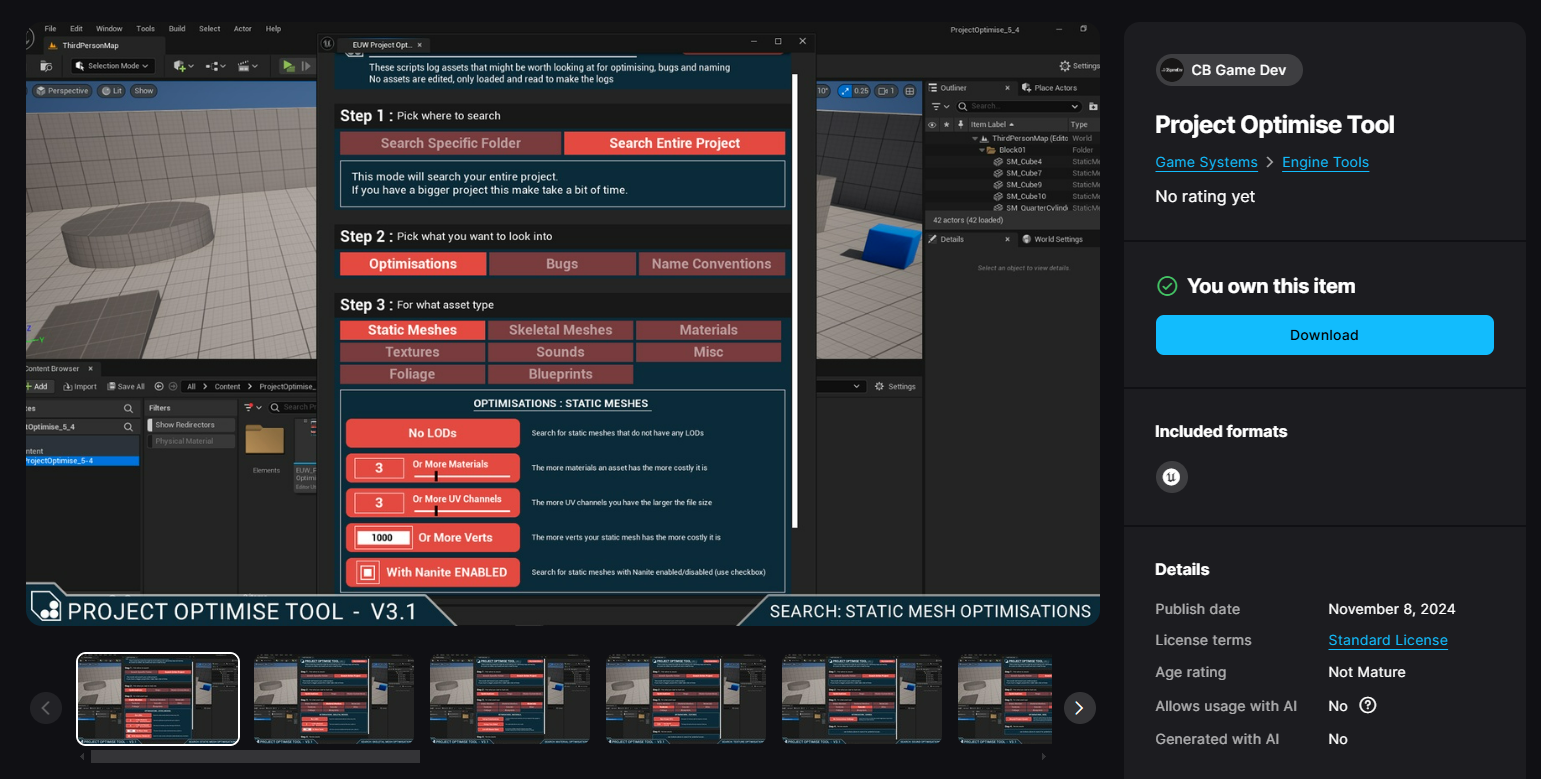
Project Optimise Tool Released Onto FAB Unreal Marketplace!
Exciting news and a personal achievement unlocked!
I released my Project Optimise Tool onto the FAB Unreal Engine marketplace: CHECK IT OUT HERE

What is the tool?
If you don’t know anything about it, it is something I have been working on over the last couple of years which I would summarise as:
A tool which helps you identify potential problems and uncover optimisation opportunities in your Unreal Engine 5 projects.
It’s split into 3 main chunks of functionality:
OPTIMISATIONS: Search for 19 different types of optimisations (Spread across 8 asset types)
BUGS: Search for 10 different types of bugs (Spread across 7 asset types)
NAMING CHECKS: Check for assets not using consistent naming conventions (Define your own prefixes)

In my previous blog post, I wrote about releasing the tool onto my itch and also a little about its 3 main stages of development over the last couple of years. You can read about that HERE.
I thought in this blog post I’d write about my experience of actually releasing the tool to the FAB marketplace!
Why The FAB Marketplace
I’d been thinking about releasing the tool to the Unreal Engine marketplace for a while, but held off for a couple of reasons:
Earlier versions of the tool were more crude and unstable (I didn’t feel comfortable selling something of that quality)
It needed more testing and feedback from people other than myself and my buddies
I do a lot of stuff and I hadn’t put a priority on the tool, so it just fell into being a backburner idea
However early in the summer of 2024, I had been using the tool more on my own projects and seeing its usefulness firsthand again. This kickstarted me to make the time to add some needed improvements and make it solid. As I said in my previous blog post, I had an older version of the tool, free on my itch.io page. I didn’t realise it when I first put it up, but this effectively became a free early-access version of the tool. The cool thing about this was that over the year it was up, I got feedback from people I didn’t know on things that could improve it.

I had been making good progress on the tool and it was feeling a lot more solid. Coincidently around the same time, Unreal Engine announced that they were launching their new store called: FAB. They were going to discontinue the original Unreal Engine marketplace and move all products over to the new store. This felt like perfect timing and a sign that I should get the tool up onto this new marketplace, so I thought let’s go!
I went through the process of setting up a store page and working out what I would need to do to pass the submission process. I still wanted to release on other platforms but FAB seemed like the most obvious and relevant place for Unreal Engine content.
WORKING ON THE TOOL
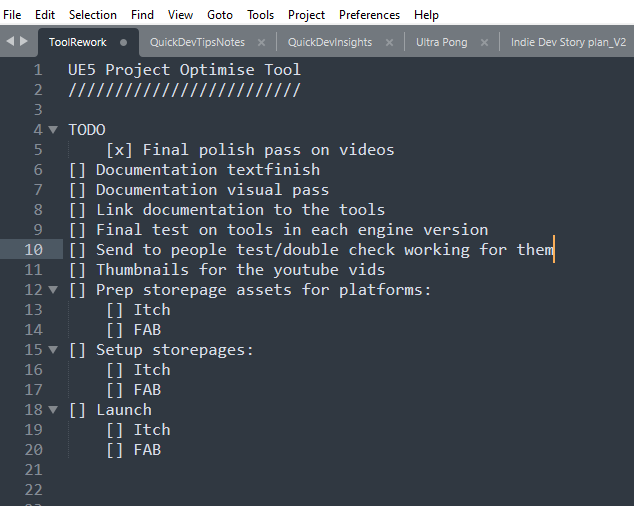
While setting up my FAB account and store page, I continued working on improving the tool and trying to make sure I met the guideline requirements for a submission. As it’s only me working on the tool, I like to plan out what I need to do by creating simple checklists. For this, I use a program called Sublime. I think of it like a more sturdy notepad which has extra functionality. The main reason I like it is because it has a nice dark mode and it constantly saves. So if your PCs crashes you don’t lose anything. Below you can see an example of one of my smaller checklists for when I was getting closer to launch.
Overall experience
I looked into the FAB marketplace before actually signing up etc and I found some sellers seemed unhappy with the new FAB store experience (nobody really likes change). As I have no experience with selling on the Unreal marketplace previously I can’t really comment on that. My personal experience was pretty good though. I think the main thing I had an issue with was that when I was doing it (Nov 2024) the marketplace was split between the old system and transitioning to the new FAB system. This meant things felt a bit split between the two different systems. Something I’m sure they will phase out over time.
USefull links for getting started
If you want to sell your own products on the FAB store, here are a few links which I think you will find useful:

What was the process like to get accepted?
I had a pretty smooth experience in submitting my tool to the marketplace. I set up my store page, added separate versions of the tool for the different engine versions and then hit the submit button. Overall it took around a week and a half to get the store page setup and my tool accepted through the submission process.
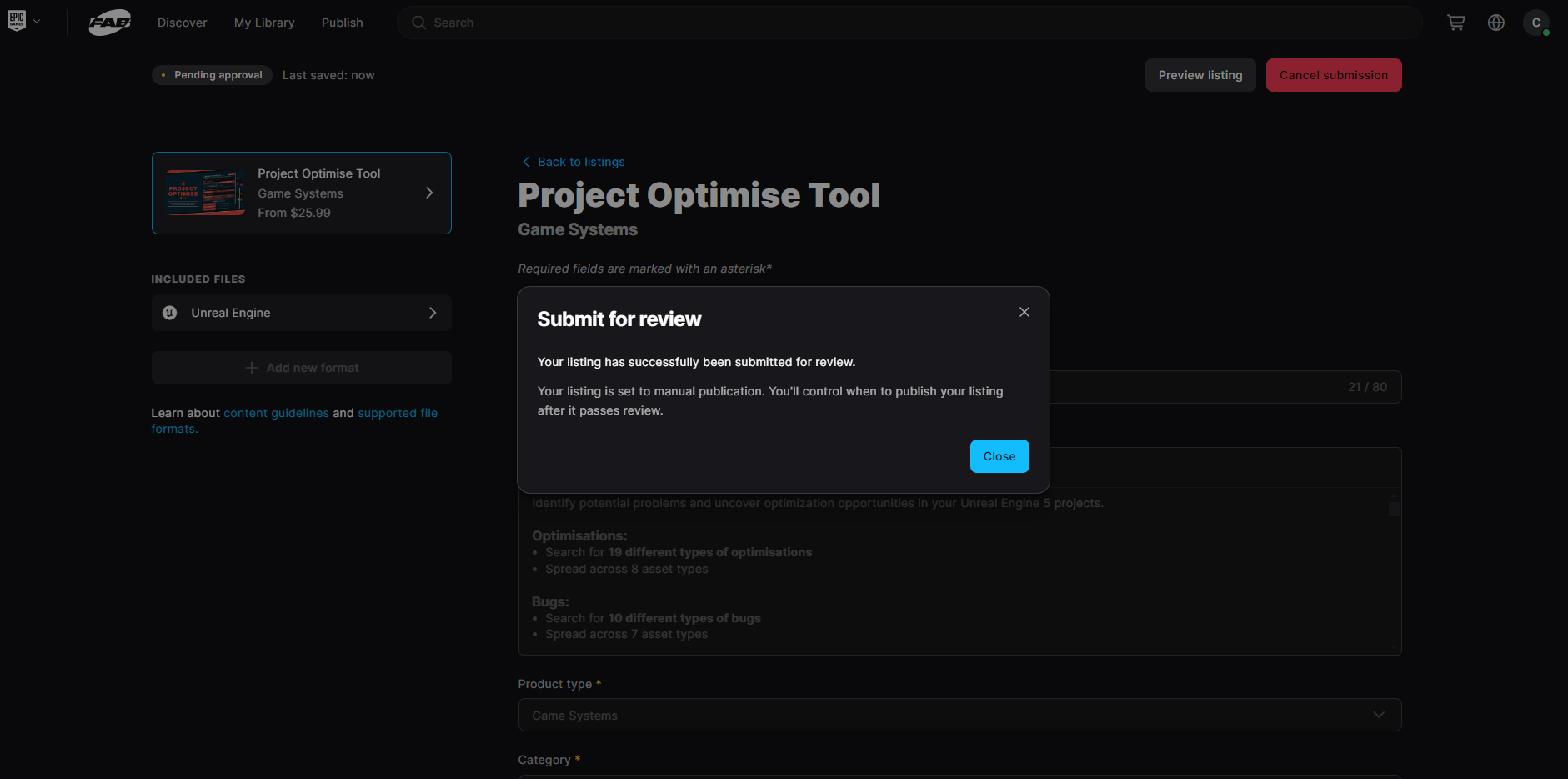
It generally took around 24 hours to get a response to a submission. The main issues I encountered with my own product submissions were:
Missing Naming Conventions - I wasn’t using A_ for audio files (wavs). This is kind of funny because my tool has a mode to help you find bad naming conventions, I should have run it on itself.
File Included That Was Not In Use Anywhere - I had a wav file included in the project which I was no longer using and so could be deleted.
Store Page Screenshot Inconsistencies - Some of the store page screenshots showed the file pathing to the plugin version of the tool. However, the FAB marketplace is a content folder version of the tool. So I just needed to upload the correct images.
Issues With My Example Map - My example map doesn’t contain asset examples, instead contains a UI which runs when you play the map and explains step-by-step how to use the tool. I updated these explainer slides to be more detailed and also added a little note to the FAB team when re-submitting the tool. Something along the lines of: I can’t include example assets with problems as I would have to include bad/broken assets to my submission but the tool can be tested by adding the starter content to the project and running the different searches on that.
4th Times The Charm
Overall it took me 4 attempts to get accepted but I finally got an email confirming that the tool had successfully passed! If I were to apply again with a new product I think I would be able to get through with fewer attempts, now that I know the whole process better.
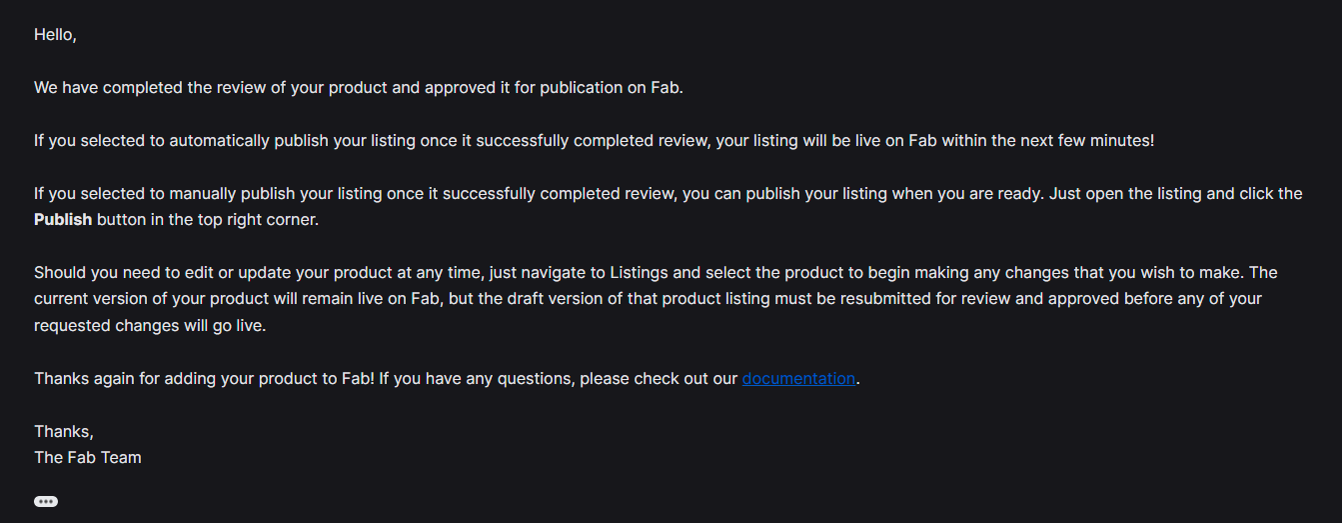
When you submit for review there are 2 types of submission you can choose from:
Auto Publish - The changes will be pushed directly to the store when accepted
Manual Publish - You need to manually trigger the store update after being accepted
For this first launch, I chose to manually trigger the update, so I could be there to test and make sure everything was working correctly.
LAUNCH ISSUES
When my tool first launched, I encountered a couple of ‘Issues’ which got my heart beating a bit faster ha. I think they would be useful for you to know about in advance of launching your own products:
1) I Couldn’t See My Tool On The FAB Store: - Even though the backend seller portal said that my product was live, I wasn’t able to see or access it even when searching its name directly in the search bar. I thought this might be a browser caching issue so tried searching on different devices but this was the same everywhere. I contacted support but it actually resolved after a couple of hours. I’m guessing that even though it was live it can take a while to update on the store (likely because it was my first submission as well).
2) I Couldn't See The Tool In My Epic Games Launcher Library: - I had this problem at the same time as the one above. Even though it said I owned the tool it didn’t show up in the launcher so I couldn’t add it to my project. I thought this was a bad one as people might buy it and then not actually be able to use it. I mentioned this at the same time in the email to support and they let me know this was a known problem that they were working on, but it should only affect me as the owner of the product.

POST Launch updates
I’ve updated the store page/product a couple of times since I first launched it and it’s been a very simple process. I’ve used the auto-publish setting meaning that as soon as it gets accepted it goes live. Here are the updates I have done so far:
Store Page Spelling Mistake - The day after I launched I noticed a spelling mistake on my store page. So I fixed it and submitted it. They accepted the change in less than 24 hours.
Released A UE5.5 Version Of The Tool - Literally a week after I first launched the tool on FAB, Unreal Engine version 5.5 officially launched (came out of preview). So I spent a couple of days porting the tool over and giving it a good test. It seemed good and I submitted the new version and again it got accepted very quickly.
GOING FORWARD
I’m interested to see how the platform develops and from my personal experience so far there are a couple of areas that I think could use some attention (I’m sure Epic are already working away on this stuff):
Discoverability - Discoverability seems a bit tough at the moment as there aren’t as many ways to be highlighted e.g, no new releases section.
Analytics - From a seller’s point of view it be useful to have more analytical information exposed: such as knowing how many people are visiting your page so you can workout click-through rates and stuff like that.
Overall the whole process was pretty simple and easy to do and I am glad I did it! I will continue to update the tool as I add new functionality to it and as new engine versions get released. Go Checkout The Project Optimise Tool Over On FAB HERE
I also have a couple of other ideas for tools that I’d like to explore in the future, so watch this space!
BLOG POSTS
-
2026
10
- 29 Jun 2026 Project Optimise Tool - Now UE5.8 Compatible
- 29 Jun 2026 Level Optimise Tool - Now UE5.8 Compatible
- 3 May 2026 How Bad Audio Organisation Was Costing Me Money (And How I Fixed It)
- 15 Apr 2026 My Tools Are 30% Off This Week!
- 4 Apr 2026 The Reality of Solo Game Development - Freerunners Postmortem
- 10 Mar 2026 Freerunners Flow Update
- 4 Mar 2026 Freerunners is Out Now on Steam!
- 10 Feb 2026 QUICK DEV TIP #113 UE5 - Multiple Viewports
- 5 Feb 2026 Zombie Typing is Part of Steam Typing Fest!
- 20 Jan 2026 QUICK DEV TIP #112 UE5 - Copy Paste Functions
-
2025
22
- 30 Dec 2025 QUICK DEV TIP #111 UE5 - Bulk Rename Assets
- 7 Dec 2025 QUICK DEV TIP #110 UE5 - Thicken Trigger Volumes
- 16 Nov 2025 Level Optimise Tool - UE5.7 Compatible Version
- 15 Nov 2025 Project Optimise Tool - UE5.7 Compatible Version
- 5 Nov 2025 Quick Dev Insights #10 - Designing Dynamic Game Music Systems - with Pav Gekko
- 1 Nov 2025 Updated My Website Look!
- 26 Oct 2025 New Branding!
- 15 Oct 2025 Quick Dev Insights has a new home!
- 13 Oct 2025 Zombie Typing is Live in Steam Next Fest!
- 9 Oct 2025 Quick Dev Insights #09 - Technical Animation In Games - With Liam Lambert
- 4 Oct 2025 Zombie Typing - Demo Released To Steam
- 13 Sept 2025 Zombie Typing - Full Game Announcement!
- 10 Sept 2025 Quick Dev Insights #08 - Designing Sounds For Games - with Ben Ridge
- 13 Aug 2025 LEVEL OPTIMSE TOOL - UE5.6 Compatible Version Released!
- 9 Aug 2025 Project Optimise Tool - Updated to V3.2!
- 7 Aug 2025 QUICK DEV TIP #109 UE5 - Filtering Output Logs
- 23 Jul 2025 QUICK DEV TIP #108 UE5 - Bulk Fill Array
- 23 Jul 2025 QUICK DEV TIP #107 UE5 - Orbit Camera Mode
- 21 Jul 2025 Devumentary: ZOMBIE TYPING
- 15 Jul 2025 Zombie Typing Game Demo Launched!
- 25 Apr 2025 Optimising Your Unreal Engine 5 Project
- 29 Mar 2025 Level Optimise Tool - Released Onto FAB Marketplace
-
2024
20
- 24 Nov 2024 Project Optimise Tool Released Onto FAB Unreal Marketplace!
- 12 Oct 2024 I Released Project Optimise V3.1
- 17 Sept 2024 QUICK DEV TIP #106 UE4 / UE5 - Toggle Debug Camera
- 7 Sept 2024 Quick Dev Insights #07 - Developing For The Playdate - Ollie Coe
- 3 Sept 2024 QUICK DEV TIP #105 UE4 / UE5 - Debugging UI With The Widget Reflector
- 3 Sept 2024 QUICK DEV TIP #104 UE4 / UE5 - Quick Select Input Key
- 2 Sept 2024 QUICK DEV TIP #103 UE4 / UE5 - Auto Navigate to Blueprint Error
- 28 Aug 2024 Indie Dev Story is now available on Steam for FREE!
- 20 Aug 2024 Quick Dev Insights #06 - Starting and running your own outsourcing studio - Rob Moody
- 4 Aug 2024 QUICK DEV TIP #102 UE4 / UE5 - List Modified Variables
- 4 Aug 2024 QUICK DEV TIP #101 UE5 - Quick Copy Paste Variables
- 31 Jul 2024 Indie Dev Story Patch Notes for V1.3
- 22 Apr 2024 Testing out Tech: Adobe Express - Animations from Audio
- 20 Apr 2024 Made a new Game: Ultra Ball!
- 5 Mar 2024 FREERUNNERS PROGRESS - More ways to Fail
- 27 Feb 2024 Freerunners Progress - A better flow
- 21 Feb 2024 Freerunners Marketing, Lets get started!
- 17 Feb 2024 FREERUNNERS Steam Next Fest Postmortem
- 7 Feb 2024 FREERUNNERS IS IN STEAM NEXT FEST FEB 2024!
- 25 Jan 2024 FREERUNNERS DEMO UPDATE! (JANUARY 2024)
-
2023
18
- 31 Dec 2023 Marauders Community Memes, Art and Cosplay! Dec 2023 Edition
- 27 Nov 2023 Freerunners Demo Updates! (November 2023)
- 7 Oct 2023 Project Optimise Tool (Unreal Engine) : How To Use
- 7 Oct 2023 Project Optimise Tool Is Now Downloadable From My itch.io Page
- 8 Sept 2023 Freerunners Demo Out Now!
- 4 Sept 2023 All Things Marauders (March - August 2023)
- 8 Aug 2023 10 Tips For Faster Blueprint Using
- 5 Aug 2023 Updated my Free Unreal Engine Tool: Project Optimise
- 10 Jun 2023 Meetup at the Team17 office!
- 28 Apr 2023 New Unreal Engine Tool: Project Optimise!
- 14 Apr 2023 21 UE4/UE5 Tips To Help You Build Out Levels Faster
- 31 Mar 2023 I did a talk at GDC!
- 4 Mar 2023 4 Material Editor Tips for Unreal Engine
- 25 Feb 2023 6 Tips for Faster Blueprinting!
- 13 Feb 2023 5 Useful Unreal Engine Blueprint Tips/Tricks
- 9 Feb 2023 3 Quick Unreal Engine Sound Tips/Tricks
- 20 Jan 2023 Compare Data tables Tool for Unreal Engine
- 3 Jan 2023 I Tried Rokoko Video - Free Ai Motion Capture
-
2022
55
- 29 Dec 2022 3 Quick Unreal Engine Animation Tips/Tricks
- 21 Dec 2022 Marauders: The Red Baron Update
- 6 Dec 2022 50 Quick Tips and Tricks for Unreal Engine. How many do you know?
- 5 Dec 2022 F1 Marauders Art
- 21 Nov 2022 QUICK DEV TIP #100 UE4 / UE5 - Snap To Surface
- 15 Nov 2022 Quick Dev Insights #02 - Level Designer - Alfie Bawden
- 12 Nov 2022 QUICK DEV TIP #99 UE4 / UE5 - Editor Asset Open Location
- 11 Nov 2022 Launching Marauders into EA
- 11 Nov 2022 Marauders Memes#1
- 7 Nov 2022 QUICK DEV TIP #98 UE4 / UE5 - Custom Asset Shadow
- 29 Oct 2022 QUICK DEV TIP #97 UE4 / UE5 - Screenshots
- 24 Oct 2022 QUICK DEV TIP #96 UE4 / UE5 - Copy Paste UMG Anims
- 16 Oct 2022 QUICK DEV TIP #95 UE4 / UE5 - Favourite Blueprint Nodes
- 12 Oct 2022 Rust bucket 3D Print
- 12 Oct 2022 QUICK DEV TIP #94 UE4 / UE5 - MATERIAL EDITOR KEYBOARD SHORTCUTS
- 27 Sept 2022 QUICK DEV TIP #93 UE4 / UE5 - Blueprint Keyboard Shortcuts
- 19 Sept 2022 QUICK DEV TIP #92 UE4 / UE5 - GAMEPLAY VIEW
- 10 Sept 2022 Marauders Progress
- 3 Sept 2022 QUICK DEV TIP #91 UE4 / UE5 - COMMENTING
- 22 Aug 2022 QUICK DEV TIP #90 UE4 / UE5 - GROUPING
- 15 Aug 2022 QUICK DEV TIP #89 UE4 / UE5 - LOCK IN PLACE
- 5 Aug 2022 QUICK DEV TIP #88 UE4 / UE5 - REORDER ARRAY
- 19 Jul 2022 QUICK DEV TIP #87 UE4 / UE5 - HIDE UI BINDINGS
- 12 Jul 2022 QUICK DEV TIP #86 UE4 / UE5 - CONSOLE COMMAND INFO
- 3 Jul 2022 QUICK DEV TIP #85 UE4 / UE5 - QUICK CHANGE VIEWPORT ANGLE
- 27 Jun 2022 QUICK DEV TIP #84 UE4 / UE5 - DELETE NODE, KEEP CONNECTION
- 19 Jun 2022 QUICK DEV TIP #83 UE4 / UE5 - MOVE WITH ASSET
- 12 Jun 2022 QUICK DEV TIP #82 UE4 / UE5 - EDITOR START UP LEVEL
- 6 Jun 2022 QUICK DEV TIP #81 UE4 / UE5 - VIEW FROM ASSET POINT OF VIEW
- 29 May 2022 QUICK DEV TIP #80 UE4 / UE5 - EXTRA INFO ABOUT NODES
- 29 May 2022 Quick Dev Insights #05 - Indie Games Publisher - Jeff Giasson
- 23 May 2022 QUICK DEV TIP #79 UE4 / UE5 - CONTENT BROWSER FILTERS
- 16 May 2022 QUICK DEV TIP #78 UE4 / UE5 - ADJUST GIZMO SIZE
- 10 May 2022 QUICK DEV TIP #77 UE4 / UE5 - FULL SCREEN VIEWPORT
- 3 May 2022 QUICK DEV TIP #76 UE4 / UE5 - SPEED TREE COLOUR VARIATION NODE
- 28 Apr 2022 Quick Dev Insights #04 - Building A Community - Dan Walters
- 26 Apr 2022 QUICK DEV TIP #74 UE4 / UE5 - OPTIMISING TICK RATE
- 25 Apr 2022 QUICK DEV TIP #75 UE4 / UE5 - MAP THUMBNAIL ICONS
- 12 Apr 2022 QUICK DEV TIP #73 UE4 / UE5 - GPU VISUALISER
- 9 Apr 2022 Quick Dev Insights #03 - Creating UI For Games - Ben Humphreys
- 5 Apr 2022 QUICK DEV TIP #72 UE4 / UE5 - TEMP CHANGE PIVOT
- 28 Mar 2022 QUICK DEV TIP #71 UE4 / UE5 - COPY PASTE LODs
- 24 Mar 2022 Marauders Has Been Announced!
- 22 Mar 2022 QUICK DEV TIP #70 UE4 / UE5 - OUTLINER FILTERING
- 15 Mar 2022 QUICK DEV TIP #69 UE4 / UE5 - CONSOLE COMMAND SEARCHING
- 7 Mar 2022 QUICK DEV TIP #68 UE4 / UE5 - HIGHLIGHTING CONNECTIONS
- 1 Mar 2022 QUICK DEV TIP #67 UE4 / UE5 - SAVE HARD DRIVE SPACE
- 21 Feb 2022 QUICK DEV TIP #66 UE4 / UE5 - NAME MATERIAL PINS
- 15 Feb 2022 QUICK DEV TIP #65 UE4 / UE5 - EDIT AUTOSAVE SETTINGS
- 6 Feb 2022 QUICK DEV TIP #64 UE4 / UE5 - HIDE ALL SCREEN MESSAGES
- 31 Jan 2022 QUICK DEV TIP #63 UE4 / UE5 - MEASURING DISTANCES
- 25 Jan 2022 QUICK DEV TIP #62 UE4 / UE5 - MATHS IN VARIABLES
- 17 Jan 2022 QUICK DEV TIP #61 UE4 / UE5 - STORE BLUEPRINT GRAPH POSITIONS
- 11 Jan 2022 QUICK DEV TIP #60 UE4 / UE5 - MIRROR ASSETS
- 3 Jan 2022 QUICK DEV TIP #59 UE4 / UE5 - SMALLER INTERFACE ICONS
-
2021
55
- 27 Dec 2021 QUICK DEV TIP #58 UE4 / UE5 - QUICK ADJUST CAMERA SPEED
- 20 Dec 2021 QUICK DEV TIP #57 UE4 / UE5 - BREAKPOINT ON BLUEPRINT ERROR
- 13 Dec 2021 QUICK DEV TIP #56 UE4 / UE5 - UMG REPLACE & WRAP WITH
- 6 Dec 2021 QUICK DEV TIP #55 UE4 / UE5 - MOVE VARIABLE TO PARENT
- 29 Nov 2021 QUICK DEV TIP #54 UE4 / UE5 - SELECT ALL OF THE SAME
- 22 Nov 2021 QUICK DEV TIP #53 UE4 / UE5 - LIGHT MAP STATISTICS
- 16 Nov 2021 QUICK DEV TIP #52 UE4 / UE5 - EVENT TO FUNCTION / FUNCTION TO EVENT
- 8 Nov 2021 QUICK DEV TIP #51 UE4 / UE5 - DISABLE BLUEPRINT NODE
- 1 Nov 2021 QUICK DEV TIP #50 UE4 / UE5 - EDITOR CALL EVENTS AT RUNTIME
- 25 Oct 2021 QUICK DEV TIP #49 UE4 / UE5 - SAVE LOAD LAYOUTS
- 18 Oct 2021 QUICK DEV TIP #48 UE4 / UE5 - QUICK MAKE ICONS
- 18 Oct 2021 My steam page got approved for my game Freerunners!
- 11 Oct 2021 QUICK DEV TIP #47 UE4 / UE5 - QUICK OPEN LEVEL ASSET
- 4 Oct 2021 QUICK DEV TIP #46 UE4 / UE5 - THUMBNAIL EDIT MODE
- 27 Sept 2021 QUICK DEV TIP #45 UE4 / UE5 - COMBINING MULTIPLE STATIC MESHES
- 20 Sept 2021 QUICK DEV TIP #44 UE4 / UE5 - RELATIVE AND WORLD TRANSFORMS
- 13 Sept 2021 QUICK DEV TIP #43 UE4 / UE5 - QUICK NAVIGATE TO BLUEPRINT PARENT
- 6 Sept 2021 QUICK DEV TIP #42 UE4 / UE5 - Automatically Reimport Files
- 30 Aug 2021 QUICK DEV TIP #41 UE4 / UE5 - Have Multiple Anim Sequences Open
- 24 Aug 2021 QUICK DEV TIP #40 UE4 / UE5 - Diffing Blueprints
- 16 Aug 2021 QUICK DEV TIP #39 UE4 / UE5 - Quick Tweak Textures
- 9 Aug 2021 QUICK DEV TIP #38 UE4 / UE5 - Animation Pose Into Static Mesh
- 2 Aug 2021 We Won An Award!
- 2 Aug 2021 QUICK DEV TIP #37 UE4 / UE5 - Colourblind Editor Mode
- 26 Jul 2021 QUICK DEV TIP #36 UE4 / UE5 - Saving Colours
- 19 Jul 2021 QUICK DEV TIP #35 UE4 / UE5 - Quick Switch Tabs
- 12 Jul 2021 QUICK DEV TIP #34 UE4 / UE5 - Find Across Whole Project
- 5 Jul 2021 QUICK DEV TIP #33 UE4 / UE5 - UMG Favourites
- 28 Jun 2021 QUICK DEV TIP #32 UE4 - Custom Grid Snap Amounts
- 21 Jun 2021 QUICK DEV TIP #31 UE4 - Favourite Folders
- 13 Jun 2021 QUICK DEV TIP #30 UE4 - Content Browser Icon Size
- 7 Jun 2021 QUICK DEV TIP #29 UE4 - Quick Make Pins
- 31 May 2021 QUICK DEV TIP #28 UE4 - Drop Asset To Surface
- 24 May 2021 QUICK DEV TIP #27 UE4 - Multiple Content Browsers
- 17 May 2021 QUICK DEV TIP #26 UE4 - Change Asset Default Transform
- 10 May 2021 QUICK DEV TIP #25 UE4 - Move Light In Static Mesh Viewer
- 3 May 2021 QUICK DEV TIP #24 UE4 - Quick Rename
- 3 May 2021 Survive Another Night Patch Notes
- 26 Apr 2021 QUICK DEV TIP #23 UE4 - Toggle Translucent Selection
- 19 Apr 2021 QUICK DEV TIP #22 UE4 - Quick Find Asset
- 12 Apr 2021 QUICK DEV TIP #21 UE4 - ADVANCED CONTENT BROWSER SEARCHING
- 5 Apr 2021 QUICK DEV TIP #20 UE4 - OPTIMISING: DUMPTICKS
- 29 Mar 2021 QUICK DEV TIP #19 UE4 - TWEAK ANIMATIONS IN EDITOR
- 22 Mar 2021 QUICK DEV TIP #18 UE4 - SEPARATE LIGHTING CHANNELS
- 15 Mar 2021 QUICK DEV TIP #17 UE4 - MATERIALS QUICK CONNECT
- 8 Mar 2021 QUICK DEV TIP #16 UE4 - PREVIEW AUDIO FROM VIEWPORT
- 1 Mar 2021 QUICK DEV TIP #15 UE4 - BULK EDIT ASSETS
- 22 Feb 2021 QUICK DEV TIP #14 UE4 - QUICK SET SOUND SETTINGS
- 15 Feb 2021 QUICK DEV TIP #13 UE4 - STORED CAMERA POSITIONS
- 8 Feb 2021 QUICK DEV TIP #12 UE4 - BLUEPRINTS - EASY COPY INFO
- 1 Feb 2021 QUICK DEV TIP #11 UE4 - BLUEPRINTS - QUICK IMPORTING FILES
- 25 Jan 2021 QUICK DEV TIP #10 UE4 - BLUEPRINTS - SUBCATEGORIES
- 18 Jan 2021 QUICK DEV TIP #09 UE4 - BLUEPRINTS - COPY COLLISION
- 12 Jan 2021 QUICK DEV TIP #08 UE4 - MULTI-LINE TEXT!
- 5 Jan 2021 Quick Dev Tip #07 UE4 - Coloured Folders!
-
2020
11
- 28 Dec 2020 Quick Dev Tip #06 UE4 - Connection Lines
- 28 Dec 2020 Survive Another Night Postmortem
- 21 Dec 2020 Quick Dev Tip #05 UE4 - Quick Align Nodes
- 16 Dec 2020 Quick Dev Tip #4 UE4 - Reroute Nodes
- 13 Dec 2020 Quick Dev Tip #3 UE4 - Blueprints Quick Variables
- 13 Dec 2020 My 2020 Epic MegaJam Entry
- 30 Nov 2020 Quick Dev Tip #2 UE4 - Blueprints - Pin Splitting
- 24 Nov 2020 New Quick Dev Tips Series
- 7 May 2020 "Marauder" Our New Game
- 12 Apr 2020 Bringing Images To Life
- 11 Apr 2020 VR Fun
-
2019
1
- 26 May 2019 Art'ing
-
2018
2
- 3 Sept 2018 Playing around making a loading icon
- 12 Aug 2018 Showreel of my animations from "The Black Death"
-
2017
8
- 4 Nov 2017 RAGE trailer
- 4 Nov 2017 Made a Trailer for 'Indie Dev Story'
- 25 Oct 2017 Indie Dev Story Patch Notes V1.1 & V1.2
- 22 Sept 2017 The Black Death has been shortlisted for an Award!
- 5 Aug 2017 Rage Postmortem
- 5 Aug 2017 Finished my next game! "Rage"
- 29 Jun 2017 Busy, Busy and The Black Death Progress
- 19 Feb 2017 Gifs of the little games I have made so far!
-
2016
14
- 10 Dec 2016 Indie Dev Story Postmortem
- 4 Dec 2016 Finished 'Indie Dev Story'
- 2 Dec 2016 CBgameDev Logo
- 12 Nov 2016 TBD Hit 80% Woop! & Nottingham Gamecity Festival Talk!
- 8 Oct 2016 The Black Death at EGX 2016!
- 23 Aug 2016 The Black Death at Gamescom, Germany 2016
- 9 Jun 2016 Finished my next mini game
- 27 May 2016 More pixel playing around
- 18 May 2016 The Black Death at Rezzed
- 2 Apr 2016 Boxes animating
- 2 Apr 2016 Recording Lets Play For the Black Death
- 27 Mar 2016 Playing around with pixel art
- 17 Mar 2016 Made a Launcher for my game Jam Games
- 17 Mar 2016 My First Pixel Animation